
Pipelines & Opportunities
Track Anything That Moves Through a Process
Create visual stages for sales, onboarding, fulfillment, projects, approvals, or any operational workflow so nothing slips through the cracks.
When Work is Happening but No One Can See Where
Every business has work that moves through steps:
A client asks for a quote.
A contract needs approval.
An order moves into fulfillment.
A tax return waits for documents.
A referral partner sends a lead.
And sooner or later someone asks: “Where is this right now?”. You start checking messages. Then notes. Then spreadsheets. Then asking your team. Someone says, “I thought that was already handled.”
Someone else says, “I didn’t know that was mine.” Nothing is technically broken. But no one can clearly see where the process stands. When stages aren’t defined and visible, progress depends on memory and constant checking. That’s where things begin slipping.

Where This Shows Up in Your Business
Pipelines can track any process that moves through stages.
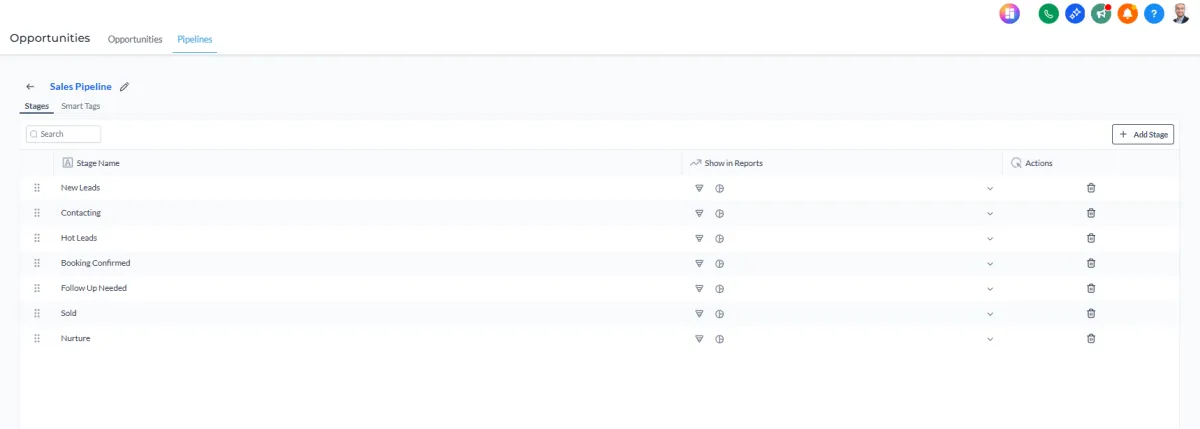
You might use them for:
Sales conversations and deal progression
Client onboarding steps
Order fulfillment and delivery stages
Contract approvals and document processing
Tax return preparation progress
Referral partner tracking
Project milestones and completion stages
Service requests or support cases
In each situation, the same question appears: “What stage is this in?” Without a structured process tracker, the answer usually lives in someone’s head.
The Real Operational Problem
Most businesses track processes using a mix of tools like: Spreadsheets. Whiteboards. Task lists. Slack messages. Sticky notes. Inbox reminders. It works when activity is small.
But once volume increases, those systems break down.
Follow-ups get missed
Stages blur together
Ownership becomes unclear
No one sees stalled work until it’s too late
The issue isn’t effort. It’s that the process itself isn’t visible. Without defined stages, progress becomes guesswork.

What Pipelines & Opportunities Actually Are
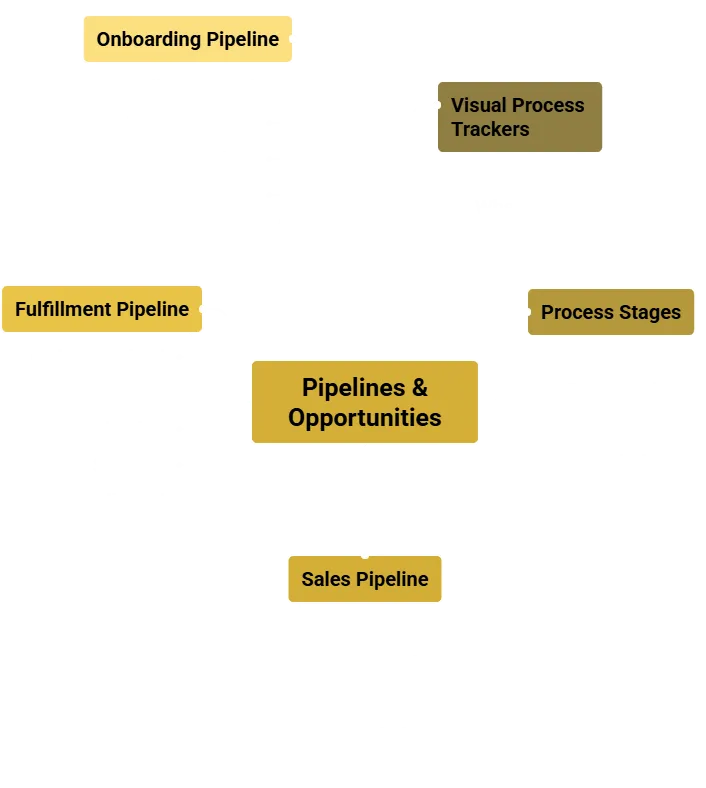
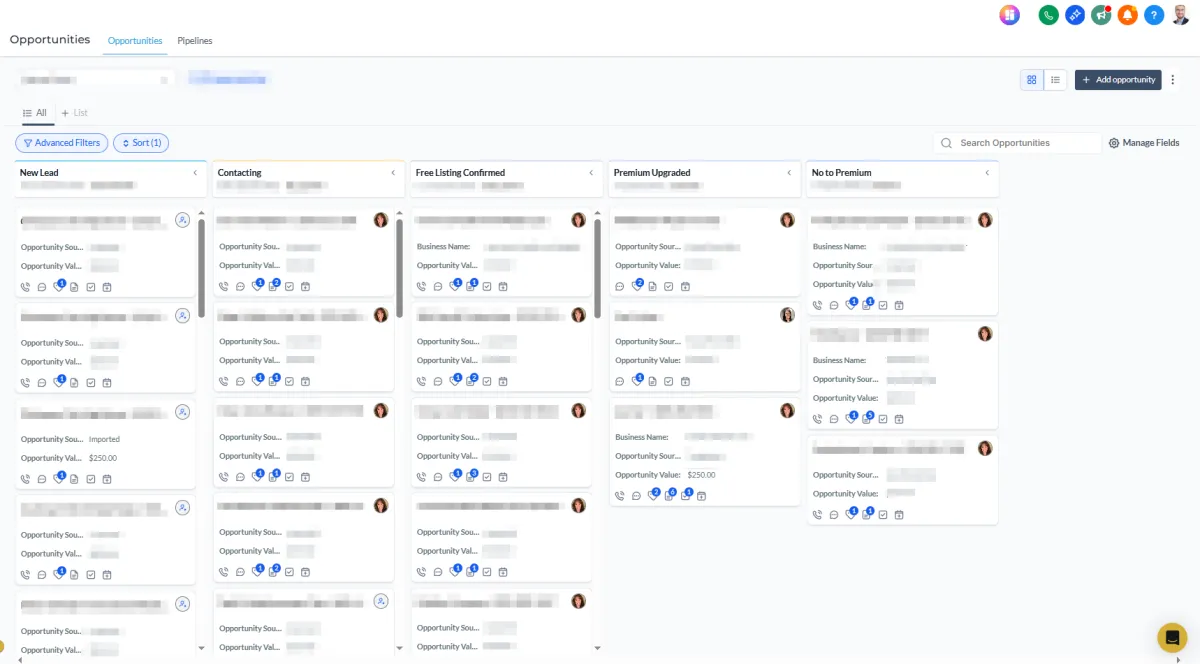
Pipelines in Kyrios are visual process trackers. They show where something is within a defined sequence of stages and what should happen next. Each pipeline represents a process. Each stage represents a step within that process.
For example, a sales pipeline might include:
New Lead → Contacted → Proposal Sent → Negotiation → Closed
But pipelines are not just for sales. A fulfillment pipeline might include:
Order Received → Processing → Packaging → Shipped → Delivered
An onboarding pipeline might include:
Client Signed → Welcome Sent → Setup Complete → Training Scheduled → Active
Instead of wondering where something stands, you can see it immediately.
Real-World Examples
Client
Onboarding
A new client signs an agreement. Instead of managing onboarding through scattered tasks, the client moves through stages such as:
Agreement Signed → Account Setup → Initial Training → First Deliverable → Fully Onboarded
Your team can instantly see where each client sits in the process.
Order
Fulfillment
An order comes in.
Instead of tracking fulfillment through email or notes, it moves through stages like:
Order Received → Processing → Packaging → Shipped → Delivered
No one has to ask where the order stands.
Tax
Preparation
A tax firm might track returns through stages like:
Client Intake → Documents Received → Preparation → Review → Filed
Every return has a visible status and clear ownership.
Property
Management
A business working with referral partners might track opportunities through stages such as:
Referral Received → Contact Attempted → Conversation Scheduled → Proposal Sent → Outcome Recorded
The entire referral pipeline stays organized and measurable.
How Pipelines Work Inside Kyrios
Each pipeline in Kyrios connects directly to your CRM and workflows.
When an opportunity or process item is created, it includes:
the related contact record
assigned team member
current stage
value or metadata if needed
notes and activity history
As progress happens, the item moves from one stage to the next.
Movement can happen:
manually by a team member
automatically through workflows
through form submissions or triggers
Stage changes can trigger actions such as:
assigning a task
sending a message
notifying a team member
updating reports or dashboards
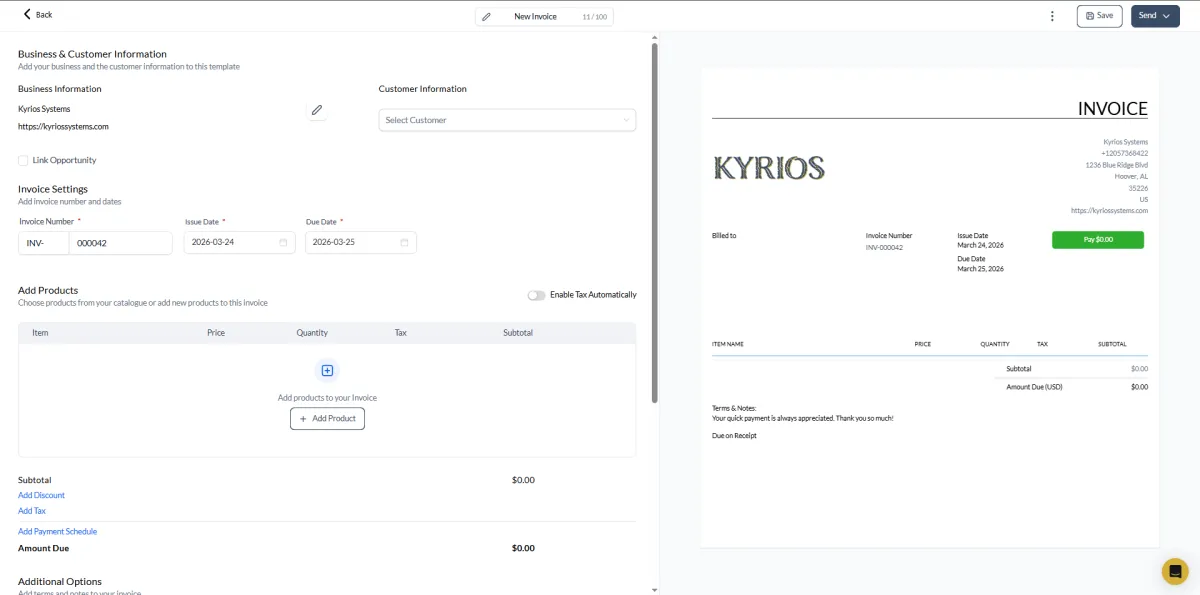
Every update appears in the contact timeline and system activity history.
Your team can always see:
what stage something is in
who owns it
what has already happened
what should happen next
How Pipelines Connect to the Rest of Kyrios
Pipelines connect directly to the rest of the Kyrios system.
For example:
A stage change can trigger a workflow.
A new opportunity can create a task.
Messages can appear in the Unified Inbox tied to the opportunity.
Activity can appear in dashboards and reporting.
Because pipelines connect to CRM, communication, automation, and tasks, they reflect real operational movement across the business. They are not just boards. They are structured representations of how work progresses.
What Changes Once Pipelines Are in Place

When processes have visible stages, several things change.
Follow-ups become consistent because stalled items are visible.
Ownership becomes clear because every item has an assigned user.
Teams stop asking where things stand because the stage shows the answer.
Managers can identify bottlenecks because stalled stages become obvious.
Instead of relying on reminders and memory, the process itself carries work forward.
That shift reduces operational pressure and keeps work from slipping through the cracks.
Pipelines Inside the Kyrios System
Kyrios was designed to replace scattered operational tracking with connected systems. Pipelines are one of the core ways that happens. They turn invisible progress into visible stages so the entire team can see how work moves forward.
Instead of asking where something stands, the answer is already visible inside the system.


Keep Work Moving Through the Right Stages
Every business has processes. The question is whether those processes live in memory or inside a system.
Pipelines give your team a clear way to track movement, assign ownership, and prevent work from slipping through the cracks.
(205) 736-8422
1236 Blue Ridge Blvd,
Hoover, AL 35226




Copyright Kyrios Systems 2026 - All Rights Reserved | Privacy Policy | Terms and Conditions

1236 Blue Ridge Blvd, Hoover, AL 35226
Download the Kyrios app now
(205) 736-8422
1236 Blue Ridge Blvd,
Hoover, AL 35226

Company


