
Chat Widgets
When Visitors Have Questions and No One Responds, They Leave
Capture questions the moment they happen with chat widgets that connect visitors directly to your CRM, AI agents, workflows, and unified inbox so every conversation becomes a trackable lead.

The Moment a Visitor Leaves Without Asking
Someone lands on your website.
Maybe they came from a search result
Maybe a social post
Maybe a paid ad
They start exploring:
They read a few sections
They look at your pricing
They pause on a service page
And then they have a question
It might be simple.
“Is this available in my area?”
“Do they offer weekend appointments?”
“Which plan should I choose?”
But there’s no easy way to ask. No quick conversation. No immediate help. So the visitor does what most people do. They leave and check the next option. Your website worked exactly the way it was built.
But a potential customer walked away because there was no conversation at the moment they needed it. That moment happens more often than most businesses realize. And every one of those moments represents a lost opportunity.
Conversations Are Already Happening, Just Not in One Place

Customers want quick answers. And they’re already asking questions.
Sometimes they send a message through a website form
Sometimes they text your business number
Sometimes they reply to an email
Sometimes they reach out through social media
Your team responds when they can. But the conversations are scattered…
A message in email
Another in Facebook
A text message on someone’s phone
A website inquiry in a different system
Now the business owner is asking a different set of questions.
Did anyone reply to that message?
Where did that conversation go?
Who is handling that?
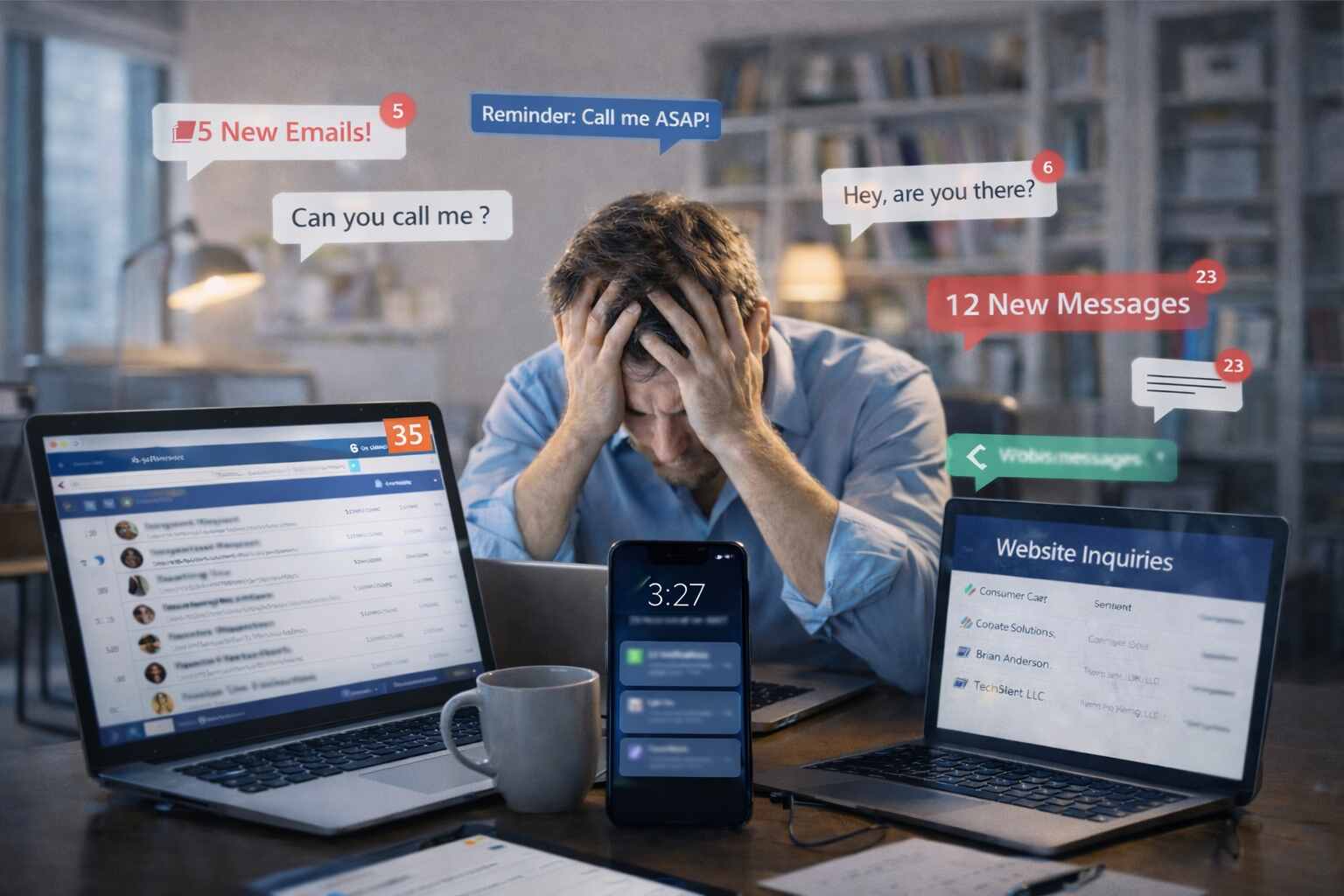
When conversations are scattered across tools, visibility disappears and response time slows down. And slow responses lose customers.
What Chat Widgets Do
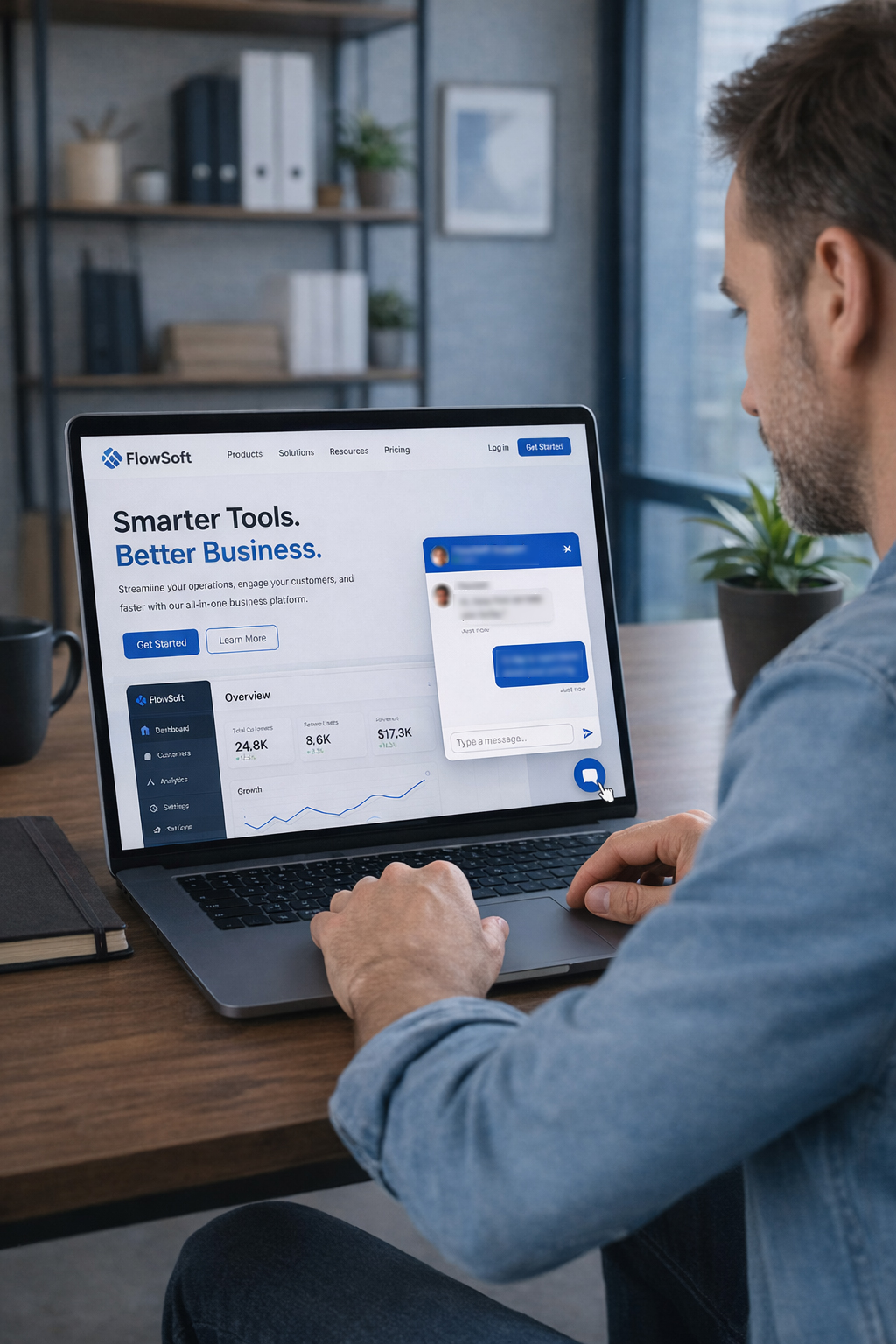
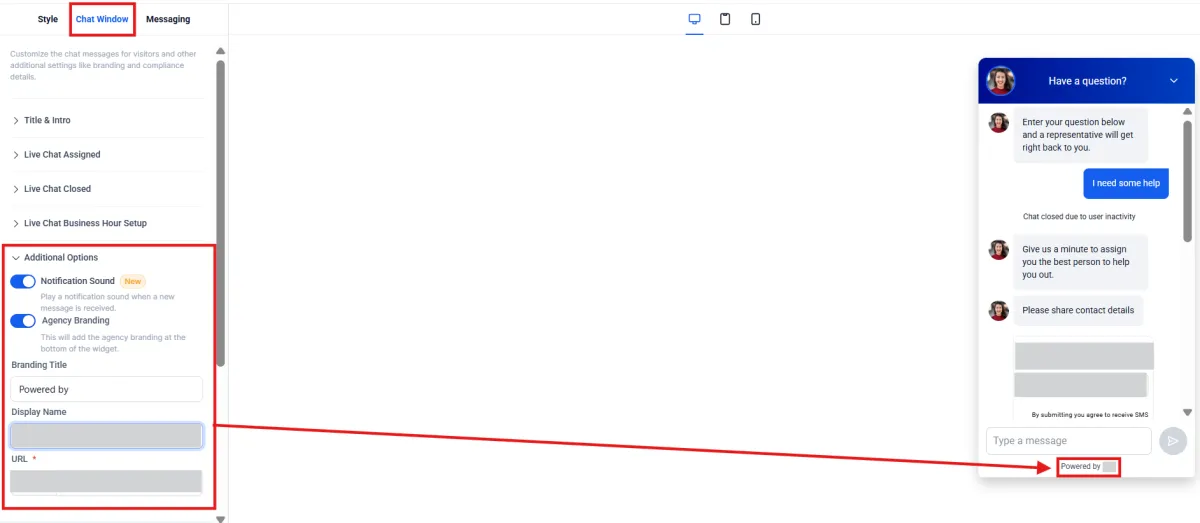
Kyrios Chat Widgets give visitors a simple way to start a conversation the moment they have a question.
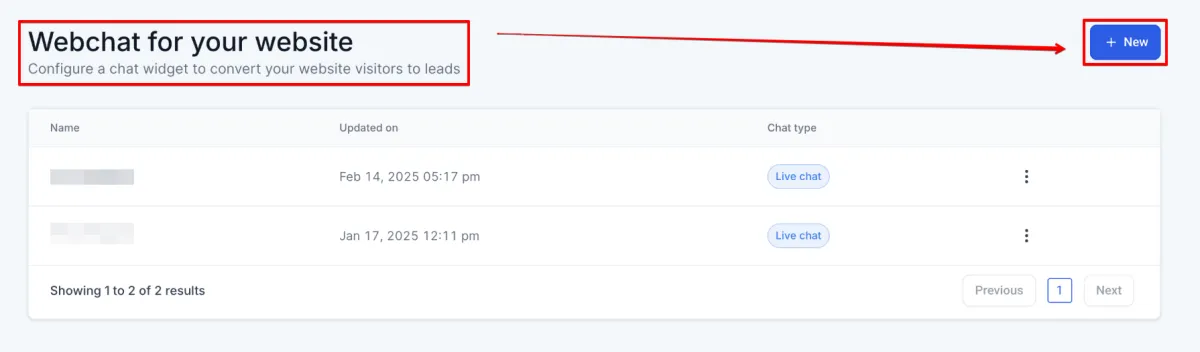
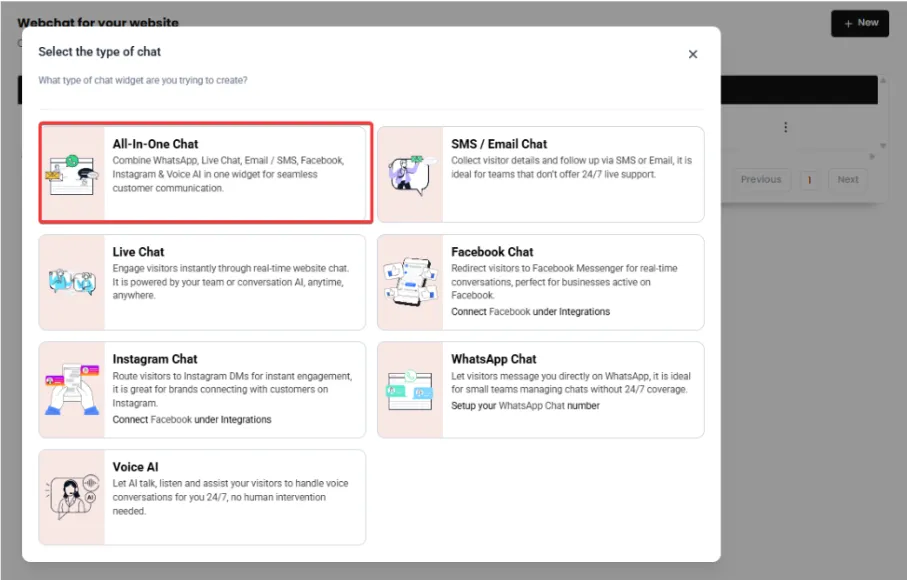
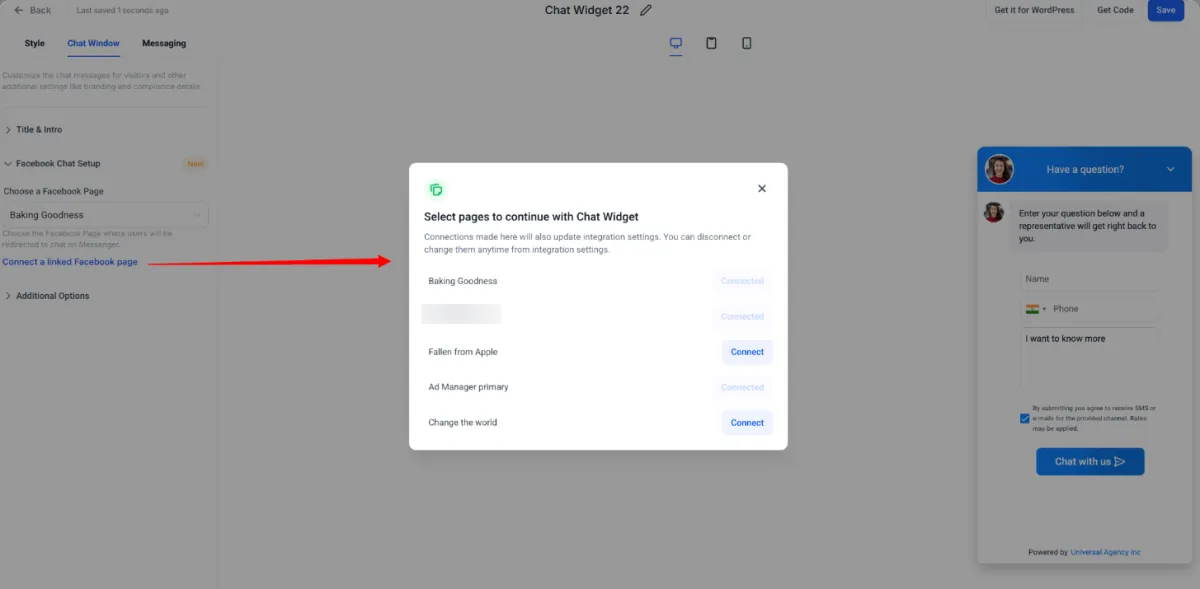
The widget can appear on your website, funnel, or landing page. When someone clicks it, they can start chatting immediately. That conversation can be handled by your team, by automation, or by AI depending on how you configure it.
Instead of forcing visitors to search for contact information or fill out long forms, the chat widget creates a direct communication path.
The visitor asks a question
Your system responds
And the conversation begins.
Conversations Become Contacts Automatically
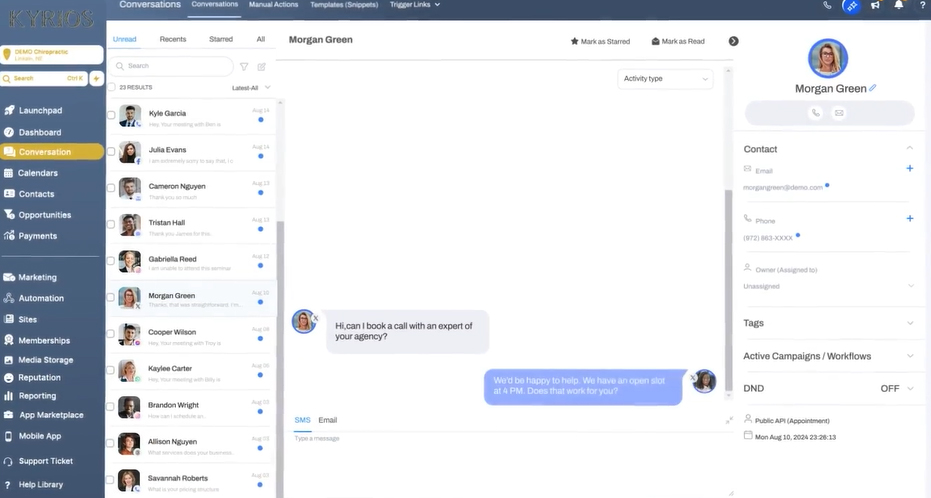
In many chat tools, the conversation stays inside the chat platform. Someone asks a question. Your team answers. The interaction ends. Nothing connects to your customer records. Kyrios works differently.
Every chat interaction can automatically create or update a contact record in the CRM.
That means:
Names, emails, and phone numbers can be captured during the conversation
Chat transcripts are stored with the contact record
Team members can see the conversation history
Future interactions remain connected
Instead of anonymous messages, every conversation becomes part of the customer relationship.
AI Can Respond Even When Your Team Is Offline
One of the biggest limitations of traditional chat systems is availability. Someone has to be there to answer.
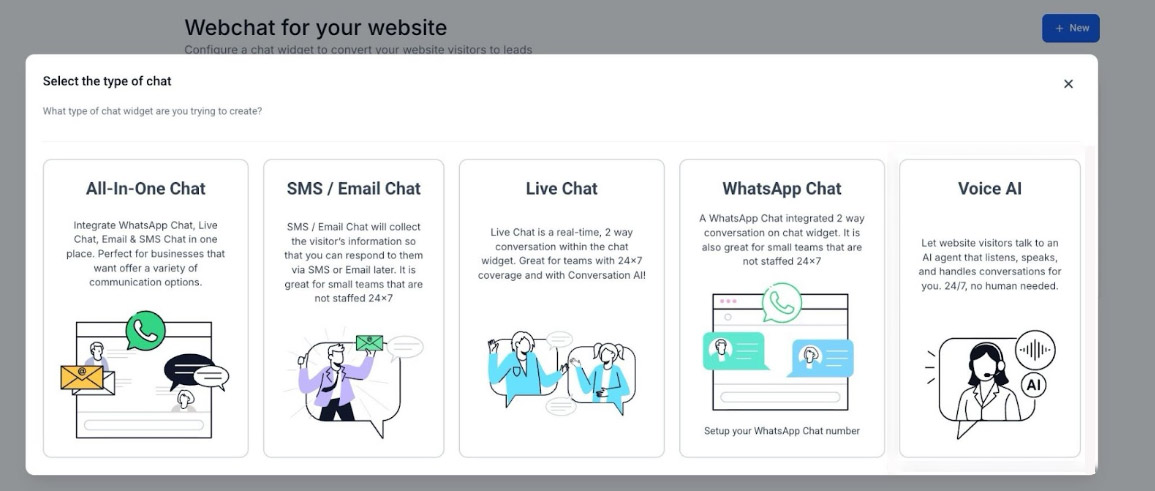
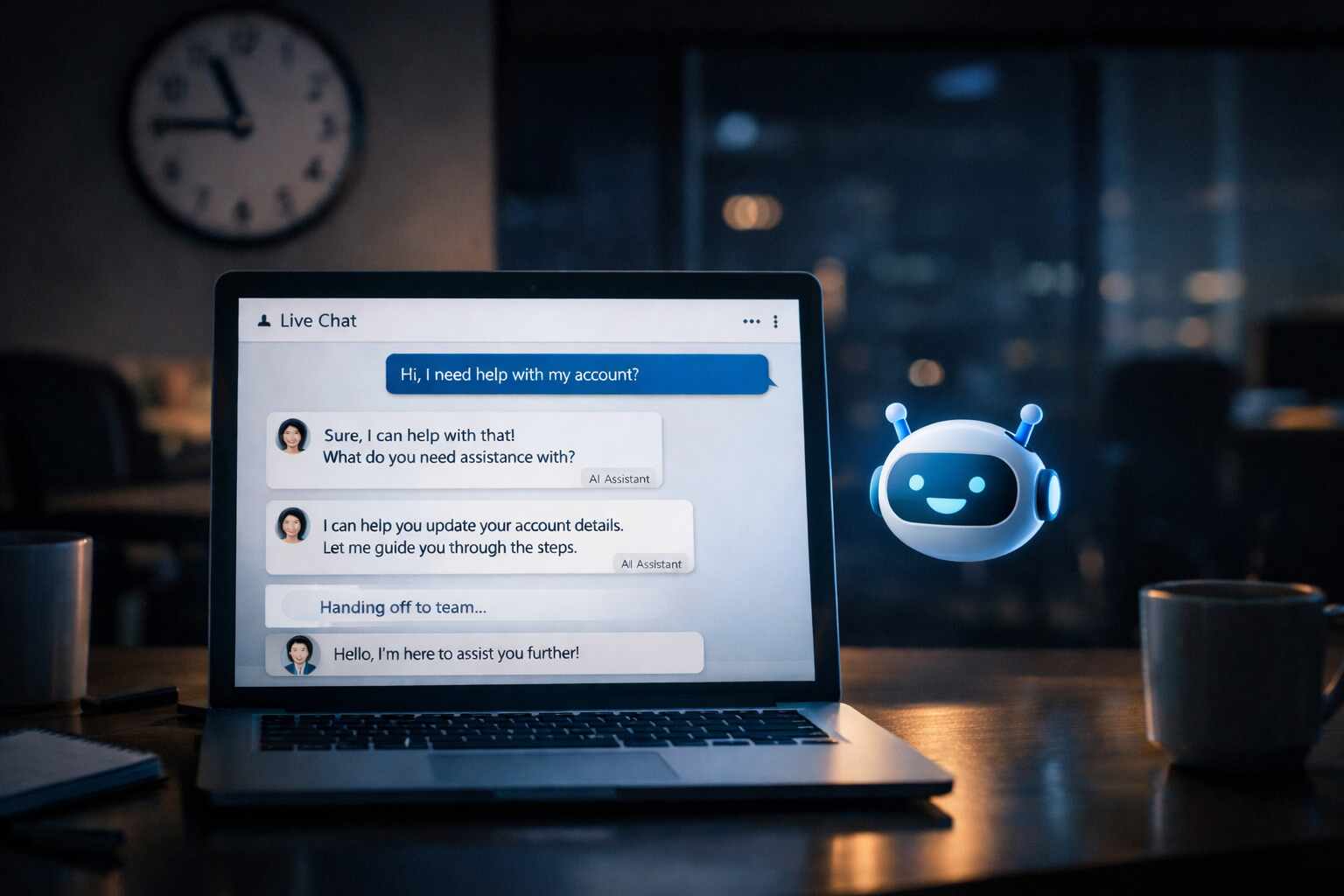
Kyrios solves this by allowing AI Agents to participate directly in chat conversations. AI can greet visitors the moment they arrive.
It can answer common questions, guide visitors to the right information, or collect contact details. If a conversation becomes more complex, the AI can escalate the chat to a human team member with full context.
This creates a hybrid model.
AI handles the initial interaction
Your team steps in when needed
Visitors get immediate responses instead of waiting hours for a reply.
Chat Widgets Connect to the Entire Kyrios System
The power of Chat Widgets comes from how they connect to the rest of your business system. In Kyrios, chat conversations can trigger actions automatically.
CRM
Every conversation updates or creates a contact record.
Workflows
Chats can start follow-up automations, apply tags, or assign tasks.
Unified Inbox
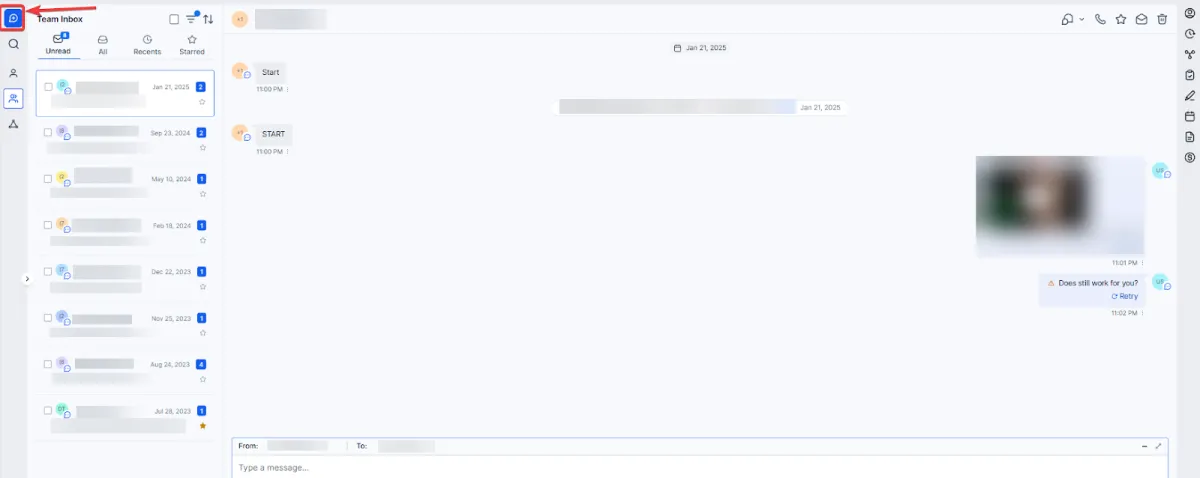
All conversations appear alongside email, SMS, and other messages.
AI Agents
AI can greet visitors, qualify leads, and route conversations automatically.
Websites and Funnels
Widgets can be embedded on any page to capture questions and convert visitors.
Because everything exists on the same platform, conversations move naturally into the next step of your business process.
Real Ways Businesses Use Chat Widgets
Businesses use chat widgets in different ways depending on how they interact with customers.
A service business may place a chat widget on its homepage so visitors can quickly ask about pricing or availability.
An agency might use chat on landing pages to capture leads from marketing campaigns.
A coaching company could allow prospects to ask questions about programs before booking a consultation.
Support teams often use chat widgets to answer product questions or guide customers through onboarding.
Some businesses allow visitors to upload images or documents directly through chat to speed up troubleshooting.
In each case, the chat widget removes friction between curiosity and conversation.
Conversations Can Trigger the Next Step Automatically
When a chat connects to the system, the conversation can lead directly into the next action.
For example:
A visitor asks a question and books an appointment through the chat.
A workflow sends a follow-up email with additional information.
The contact is tagged based on their interest.
A team member receives a notification in the Unified Inbox.
Instead of conversations ending when the chat closes, they become the starting point for the rest of the customer journey.
What Changes When Conversations Connect to Your System
When chat conversations are connected to your CRM, automation, and inbox, the experience changes for both your team and your customers.
Visitors get immediate answers
Your team sees every conversation in one place
Leads no longer disappear between tools
Follow-ups happen automatically instead of relying on someone to remember
Most importantly, questions turn into conversations and conversations turn into opportunities.
Turn Website Questions Into Real Conversations
Visitors come to your website because they are curious about something you offer. The moment they have a question is often the moment they are closest to taking action.
Chat Widgets make it easy for that question to become a conversation. And when those conversations connect to your CRM, automation, and reporting, they become part of a system that helps your business grow.
(205) 736-8422
1236 Blue Ridge Blvd,
Hoover, AL 35226




Copyright Kyrios Systems 2026 - All Rights Reserved | Privacy Policy | Terms and Conditions

1236 Blue Ridge Blvd, Hoover, AL 35226
Download the Kyrios app now
(205) 736-8422
1236 Blue Ridge Blvd,
Hoover, AL 35226

Company


