
Client Portal
Give Clients One Place to See What’s Happening
Provide a secure space where clients can review updates, upload files, approve documents, and communicate with your team without relying on long email threads or scattered messages.
When Client Communication Starts Getting Messy

Most businesses start client communication the same way.
Email threads.
Occasional texts.
Files attached to messages.
Updates shared during calls.
It works at first. Then a client asks a simple question.
“Did you get the document I sent?”
“Where are we in the process?”
“Can you resend the file?”
Now someone on your team is searching through email threads trying to find the answer. You remember sending the update. You remember seeing the file. You just don’t remember where.
The information around the work has nowhere consistent to live.

Where This Shows Up in Your Day-to-Day Work
You usually realize you need a client portal when your business regularly exchanges information with customers during ongoing work.
For example:
Projects where clients want to see updates or progress
Document approvals that require feedback or confirmation
File sharing during onboarding or service delivery
Requests for information during a project
Customers asking for updates about work in progress
None of these situations are unusual. What’s missing is a structured place where that interaction happens.
Why Email and Messages Eventually Stop Working

Without a client portal, communication spreads across multiple places.
Files arrive through email. Questions arrive through text. Updates are shared through calls or messages. Each interaction works in isolation.
The problem appears when the team needs the full picture.
Someone asks for a document that was already sent.
A client approval gets buried in a long email thread.
Two team members respond to the same question differently.
A customer asks for a status update that was shared last week.
Teams try to solve this with workarounds. Email folders. Shared drives. Internal messages asking who has the file. As the business grows, those workarounds stop working. Information becomes harder to track. Clients feel unsure about where things stand. Your team spends time searching instead of moving work forward.
What the Client Portal Does
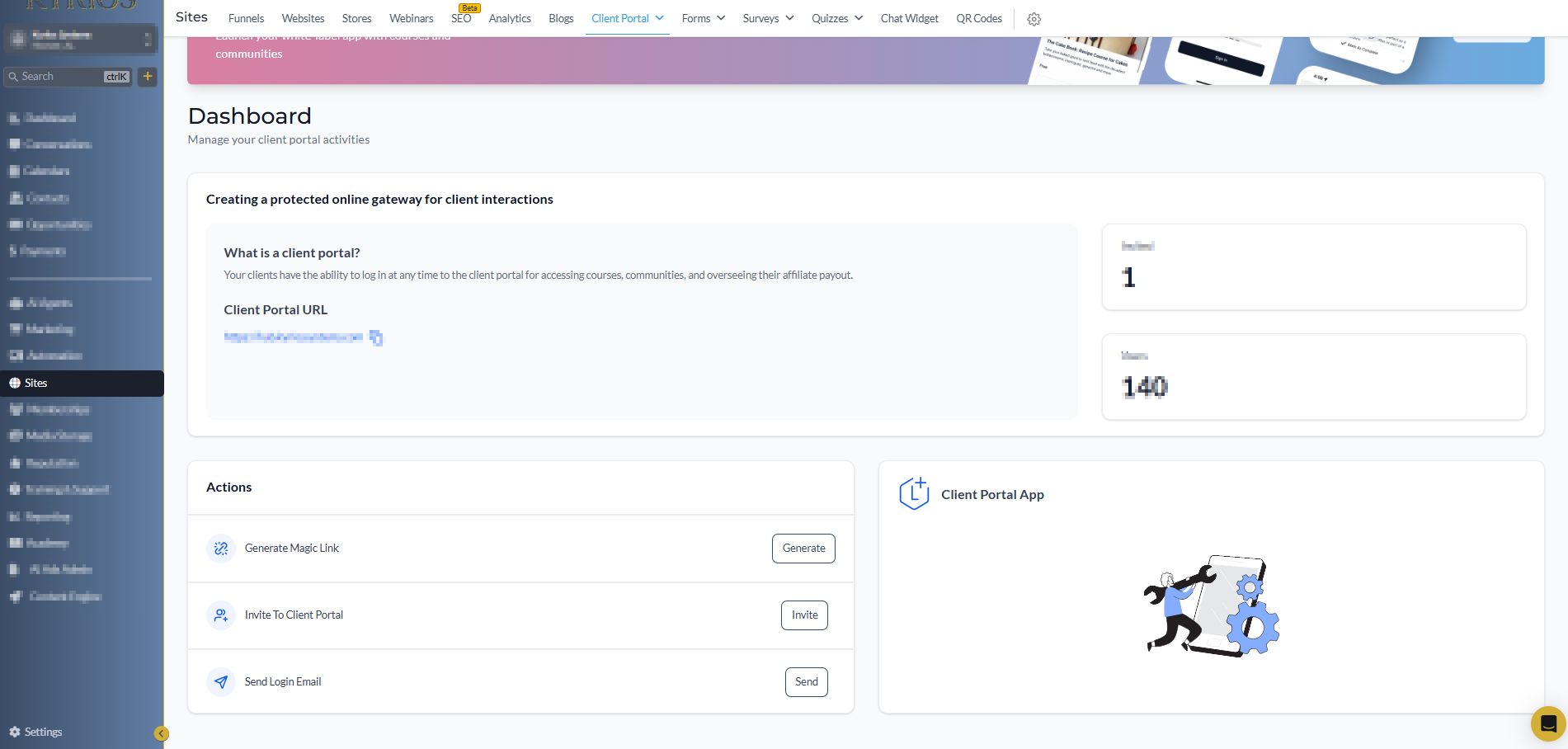
The Client Portal gives your customers a secure place to interact with your business.
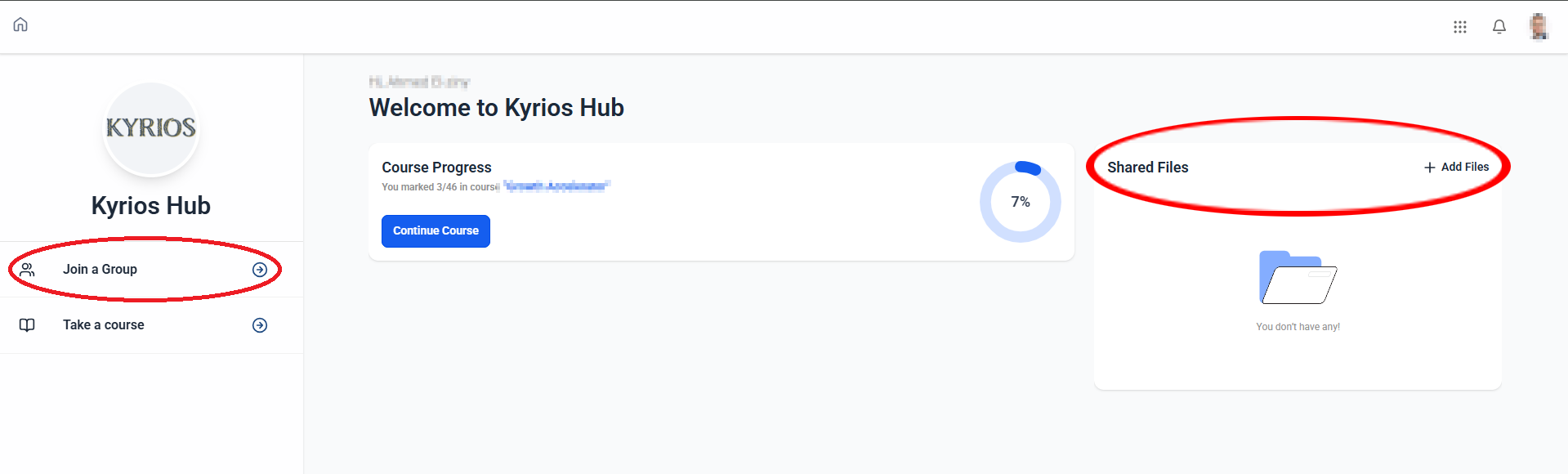
Instead of relying on scattered communication, clients log in to a dedicated workspace connected directly to their record inside Kyrios.
From the portal, clients can:
Review updates from your team
Upload files or documents
View shared materials
Respond to requests
Approve documents or information
Communicate about ongoing work
Every interaction stays connected to the customer record inside the system. Your team sees the same history the client sees. Nothing exists only in email threads or private messages.
How Businesses Use the Client Portal
The client portal is useful in many common business situations.
Service
Businesses
A home service company shares job updates, photos, and invoices. Customers can log in to see the work history and documentation.
Marketing
Agencies
Clients upload assets, review drafts, and approve revisions. Feedback and files stay organized in one place.
Consulting
Firms
Consultants request documents and share reports during a project. The portal keeps those materials tied to the client record.
Property
Management
Owners or tenants access documents, updates, and service requests. The history stays connected to the property relationship.
In each case, the portal gives ongoing work a structured place for you and your customers.
How the Client Portal Works In Kyrios
When the client portal is enabled, Kyrios creates a secure login environment for your customers. Your team controls what information appears inside the portal.
From the Kyrios dashboard you can:
Share documents or files
Post updates for clients
Request information
Track responses
Receive uploaded materials
Clients access the portal through a secure login.
Inside the portal they can:
Review updates
Upload documents
Respond to requests
View information related to their account
Every interaction automatically attaches to the contact record inside the CRM.
When your team opens that record, they can see:
files shared with the client
when documents were viewed
responses submitted through the portal
materials uploaded by the client
The portal simply extends the CRM outward so clients interact with the same organized record your team uses internally.
How It Connects to the Rest of Kyrios
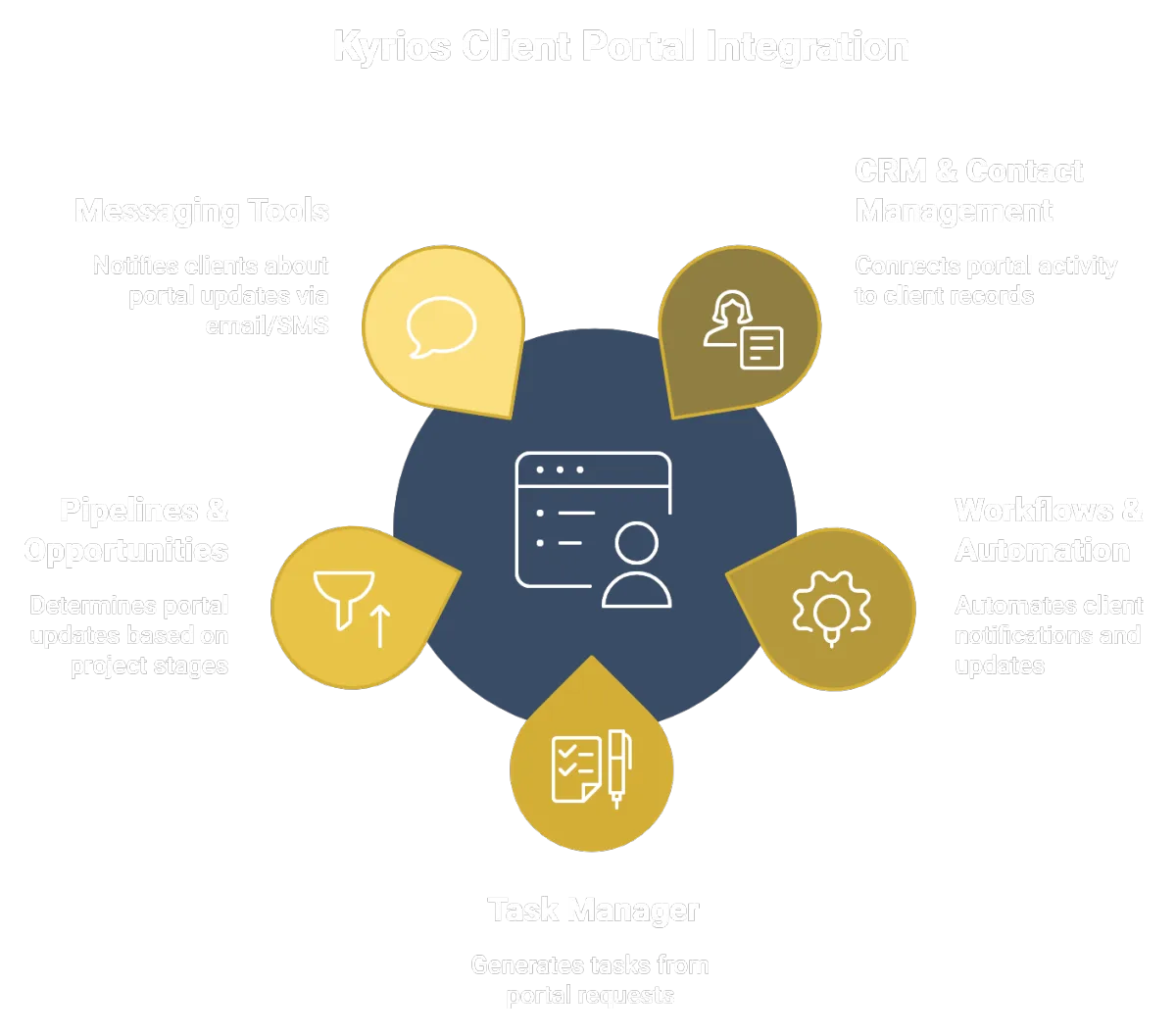
The Client Portal works alongside several other parts of Kyrios.
CRM & Contact Management
All portal activity stays attached to the client record.Workflows & Automation
Automations can notify clients when updates are available or documents need review.Task Manager
Requests submitted through the portal can generate tasks for your team.Pipelines & Opportunities
Project stages can determine what updates or steps appear inside the portal.Messaging Tools
Email and SMS can notify clients about updates available in the portal.
Instead of operating as a separate system, the portal connects clients directly to the same operational structure your team uses internally.
What Changes Once the Portal Is in Place
When clients have a structured place to interact with your business, communication becomes easier to follow.
Files stay connected to the customer record. Updates remain visible to both sides. Decisions and approvals are easier to track.
Your team spends less time searching for information. Clients spend less time asking for updates.
Instead of wondering where something was sent, the history is already visible.
Communication becomes clearer. Work becomes easier to manage.
Why This Matters In Kyrios
Kyrios is designed to replace scattered communication with connected systems. The Client Portal extends that system to your customers.
Instead of information living across inboxes, messages, and attachments, clients interact with the same structured record your team uses internally. This keeps updates visible, files organized, and communication easier to manage as the business grows.
(205) 736-8422
1236 Blue Ridge Blvd,
Hoover, AL 35226




Copyright Kyrios Systems 2026 - All Rights Reserved | Privacy Policy | Terms and Conditions

1236 Blue Ridge Blvd, Hoover, AL 35226
Download the Kyrios app now
(205) 736-8422
1236 Blue Ridge Blvd,
Hoover, AL 35226

Company


