
Media Storage
Stop Asking “Where's That File?”
Upload and organize images, videos, documents, and other assets in one central location so your team can use them across emails, funnels, websites, and workflows without digging through separate tools.
When Files Are Everywhere
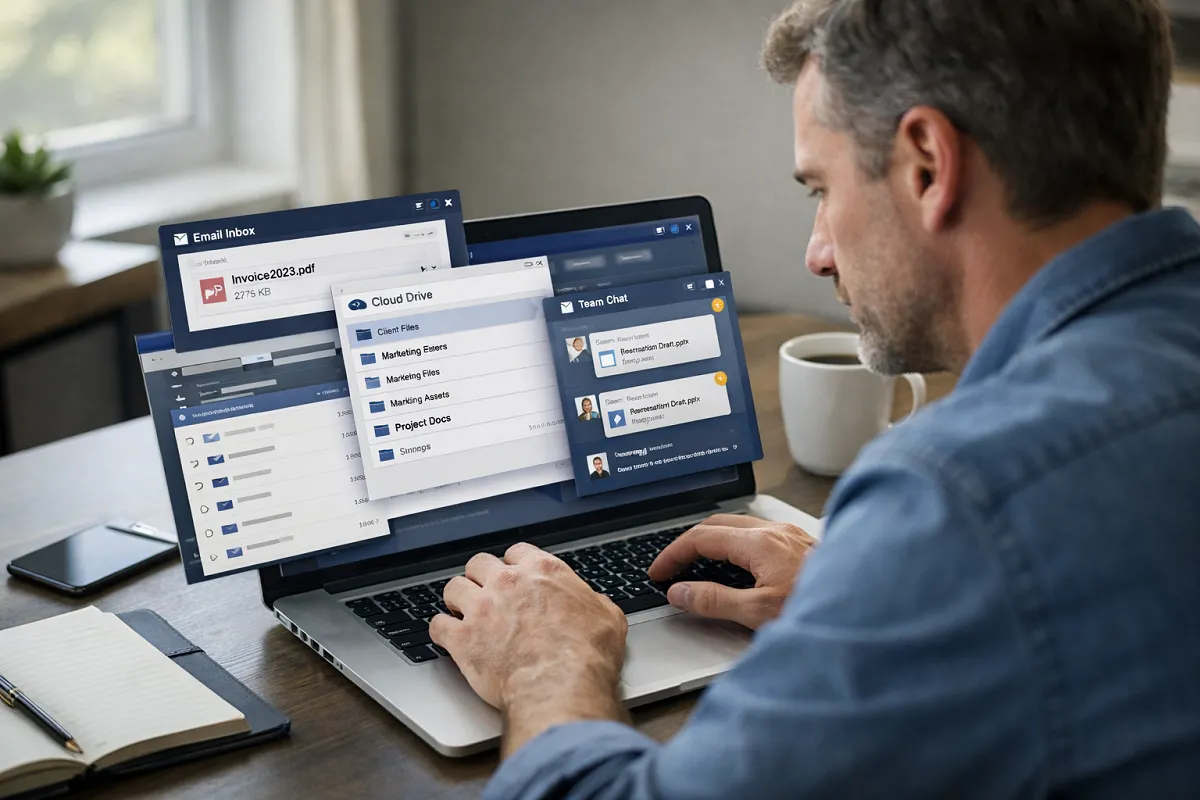
Some parts of a business stay organized. Contacts. Conversations. Deals.
Files are different:
A proposal might live in a shared drive.
A logo might sit in someone’s desktop folder.
A brochure gets emailed around the team three different times.
Then someone asks a simple question: “Where is the latest version of that file?”
The answer usually involves searching through folders, messages, and attachments before anyone feels confident they found the right one.
That moment shows up more often than most teams expect.

Where This Shows Up in Real Businesses
File confusion rarely appears as one big problem. It appears as small interruptions throughout the day.
You might see things like:
A sales rep sends an outdated brochure because the newest version was saved locally.
A website image gets updated, but an email campaign still uses the old one.
A document is uploaded to Google Drive but no one remembers which folder it lives in.
A team member forwards attachments repeatedly because others cannot find the original file.
Someone leaves the company and important assets disappear with their personal folders.
None of these issues feel major on their own. But together they create friction that slows down everyday work. Instead of moving forward, people spend time tracking down files.
Why File Handling Breaks as Teams Grow
At the beginning, file management feels simple.
A small team shares documents through email.
Assets are saved in a shared drive.
Sometimes files are passed through chat or text.
That works while the volume stays low. But growth changes the picture.
More clients
More documents
More revisions
More people sending materials

Now a few new problems appear. Different team members send different versions of the same file. Customers receive inconsistent materials. Response time slows because someone has to locate the correct document. No one is fully sure which version is current.
When files are outside the system that runs the business, context disappears. You cannot easily see:
which file was sent to which contact
which version is current
where assets are being reused
how documents move through your processes
And the work of finding files becomes part of everyone’s job.
What Media Storage Is
Media Storage inside Kyrios provides a central location where business assets can be uploaded, organized, and reused throughout the platform.
Instead of storing files across different drives, inboxes, and tools, your assets live inside the same environment as your contacts, workflows, and communication.
You can store:
images
videos
PDFs
documents
downloadable resources
marketing assets
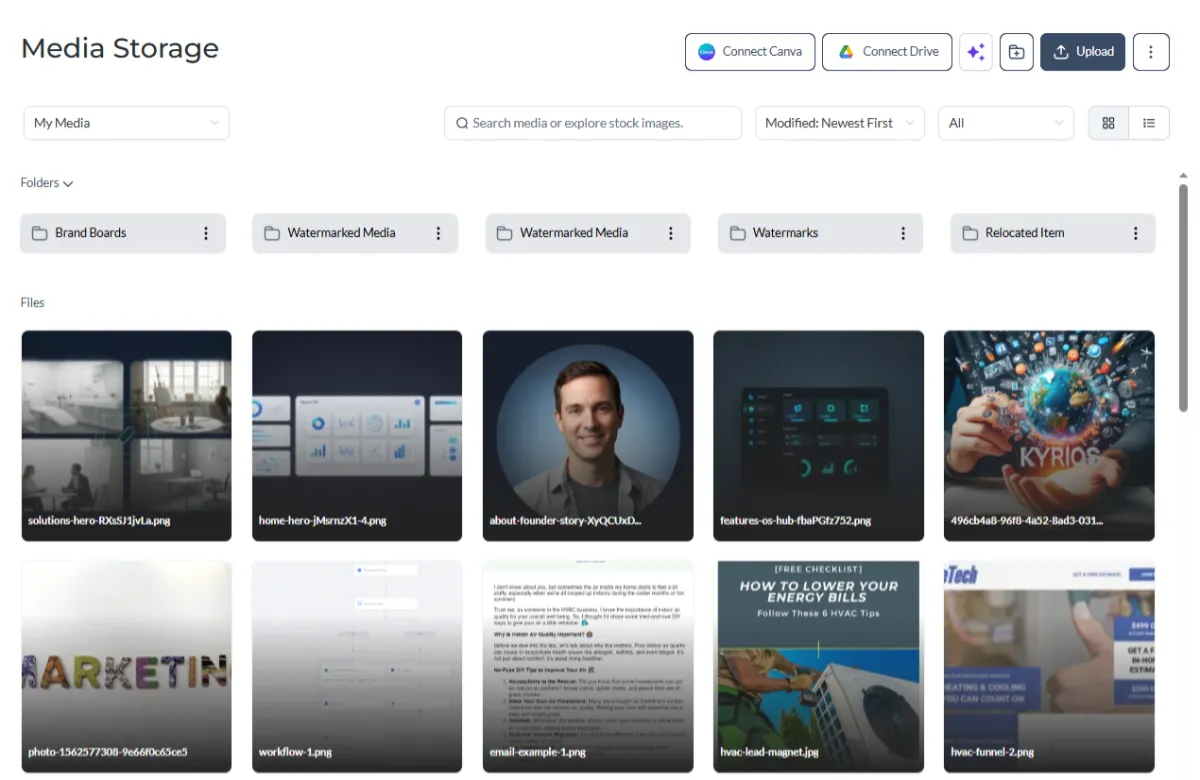
Files can be organized into folders so your team can locate what they need quickly. Once a file is uploaded, it becomes available anywhere inside the platform where that asset might be used.
Examples of How Teams Use It

Media Storage supports many everyday tasks across the business.
For example:
A pricing guide PDF can be linked in email campaigns.
A marketing image can appear on website pages and funnel pages.
A proposal document can be attached directly inside a contact record.
An onboarding checklist can be delivered automatically after a sale.
Instead of uploading the same file repeatedly, the asset is stored once and reused wherever it is needed. That keeps materials consistent and easy to maintain.
How Media Storage Works In Kyrios
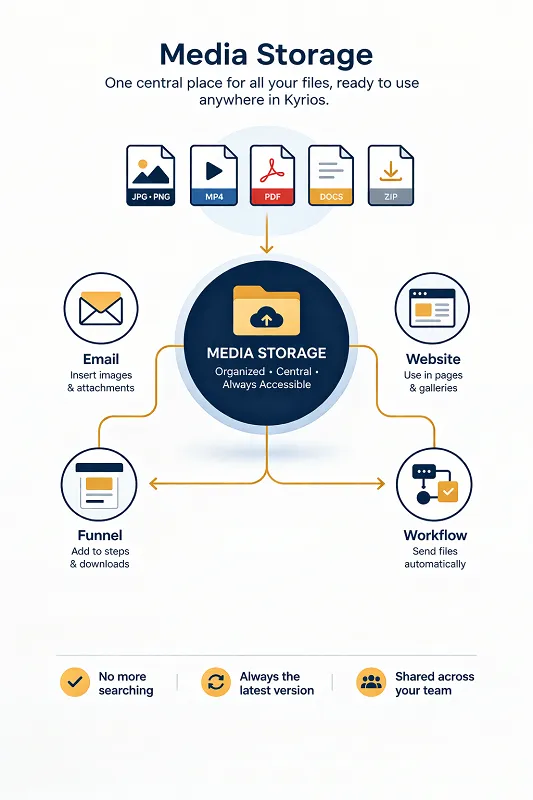
Using Media Storage is straightforward.
You upload a file into your Kyrios account.
The system stores the asset in your media library.
You can organize files into folders for clarity.
From there, the file becomes available anywhere inside the platform.
For example, a stored document can be:
linked in an email campaign
embedded on a funnel or website page
sent through an automated workflow
attached to a contact record
delivered during onboarding sequences
How Media Storage Connects to the Rest of Kyrios
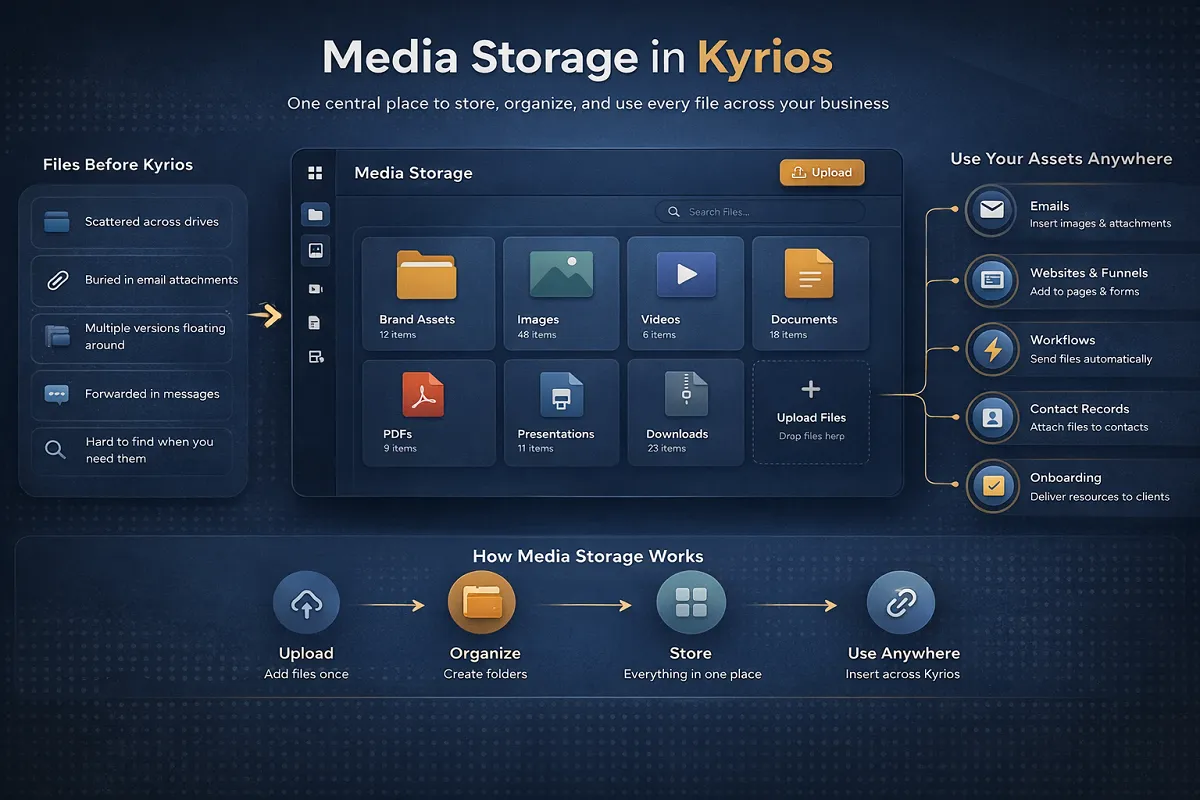
Media Storage is not tied to a single feature. It supports activity across the entire platform.
Sales teams can attach documents directly to contact records. Marketing teams can reuse images and downloads on website pages and funnels. Workflows can automatically send stored documents when forms are submitted or when deals move stages. Onboarding processes can deliver welcome materials without manual uploads.
Because assets are inside the same system as your CRM and workflows, files stay connected to the activity happening around them. That connection removes the need to track files across multiple tools.
What Changes When Files Are In Your System
When business assets are stored inside the same environment as your contacts, workflows, and communication, a few things shift.
You stop hunting for attachments.
Your team stops asking which version is correct.
Customers receive consistent documents and resources.
Updates apply across the system instead of file by file.
Files stay where the work happens instead of floating across inboxes, drives, and personal folders.
Media Storage Inside Kyrios

Kyrios is designed to replace memory-based work with connected systems. Media Storage supports that goal by keeping your business assets in the same environment as the rest of your operations.
Your contacts, workflows, communications, and documents all live inside one system. That means the files your team depends on stay visible, organized, and ready to use when work moves forward.
Media Storage helps keep your files organized, accessible, and connected to the work your team does every day.
(205) 736-8422
1236 Blue Ridge Blvd,
Hoover, AL 35226




Copyright Kyrios Systems 2026 - All Rights Reserved | Privacy Policy | Terms and Conditions

1236 Blue Ridge Blvd, Hoover, AL 35226
Download the Kyrios app now
(205) 736-8422
1236 Blue Ridge Blvd,
Hoover, AL 35226

Company


