
Workflow & Automations
When Work Depends on Remembering, Things Fall Through the Cracks
Have tasks, communication, and follow-ups move forward automatically instead of relying on reminders or manual checks.

When the Next Step is Stuck in Someone’s Head
Most businesses don’t lose momentum because people don’t care.
Things slow down because the next step lives in someone’s head:
A lead fills out a form and someone means to follow up tomorrow.
A proposal gets sent but no reminder is scheduled.
A task gets finished but no one triggers the next step.
A customer books an appointment but never receives confirmation.
None of this happens on purpose. It happens because the business is relying on people to remember what should happen next. At a small scale you can catch most of it. You double-check. You send reminders yourself. You follow up manually. But as activity increases, memory stops keeping up. That’s when things begin slipping through the cracks.
Where This Shows Up in Your Business
Workflows often support everyday moments like:
Following up with new leads
Sending appointment confirmations and reminders
Assigning tasks after a deal moves forward
Welcoming new customers during onboarding
Sending reminders when invoices are due
Creating internal handoffs between team members
These steps happen every day in a growing business. When they are not defined by the system, they depend on someone remembering.


The Real Problem
Without structured workflows, businesses rely on good intentions and reminders.
People create sticky notes.
They keep mental checklists.
They send messages asking if something was done.
Owners often become the person pushing everything forward. You check whether the task was completed. You ask who is handling the next step. You confirm whether the customer received the update. This works when activity is low.
But as the business grows, the number of moving parts increases:
More customers to handle needs.
More leads entering the system.
More conversations happening across channels.
More tasks moving between team members.
More deals progressing at different speeds.
Manual follow-up starts creating gaps. Response times become inconsistent. Visibility gets blurry. Accountability weakens. The business begins relying on constant checking just to stay on track.
What Workflows & Automation Are
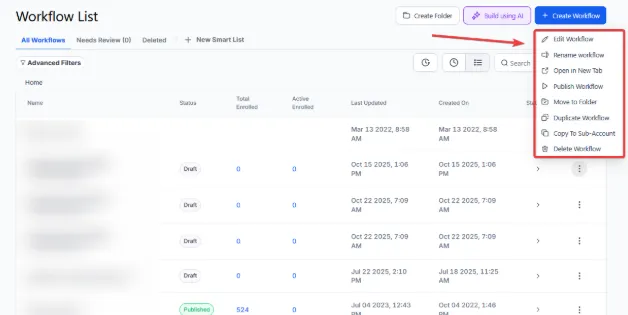
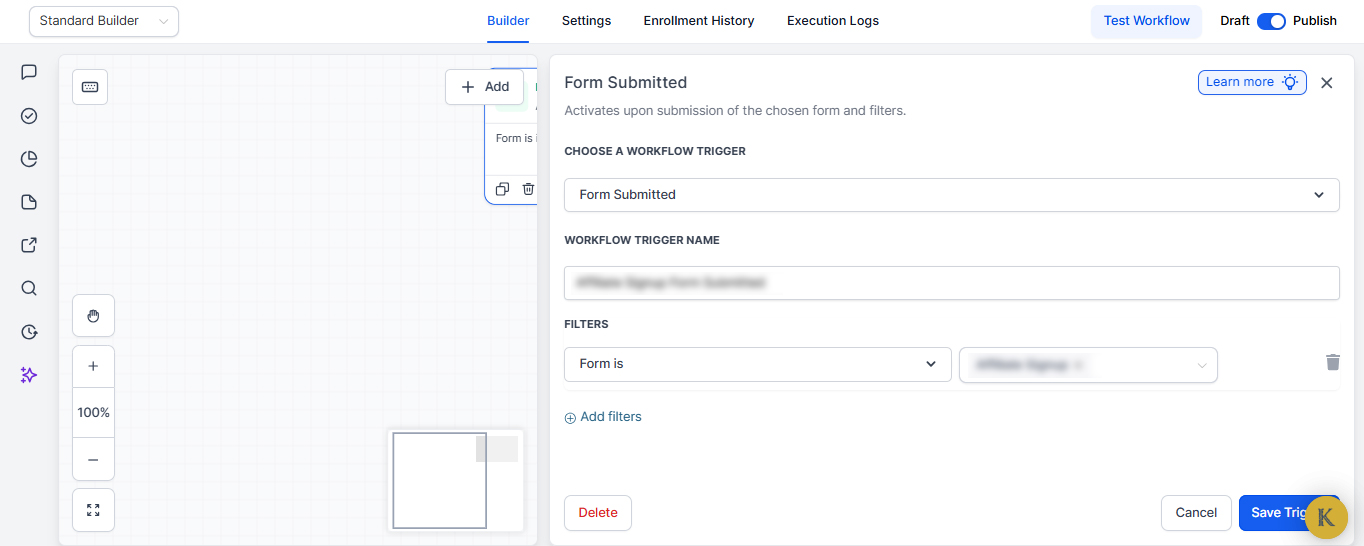
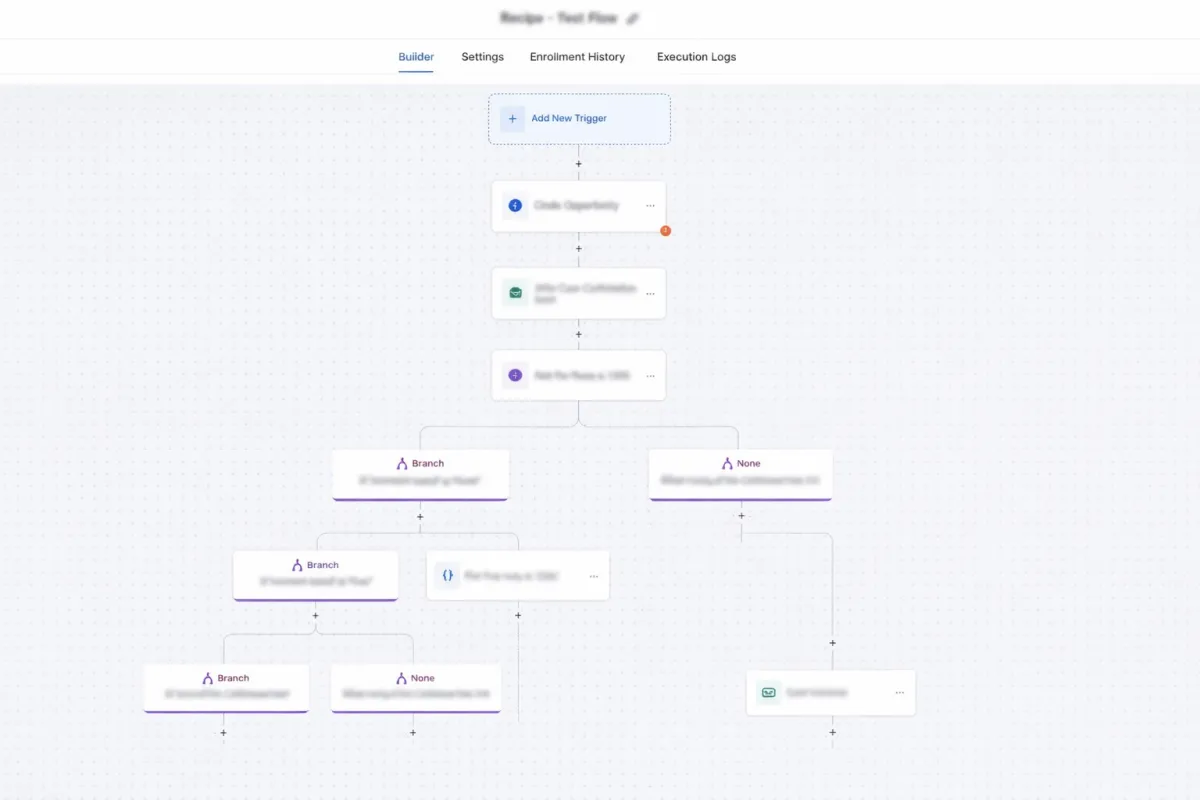
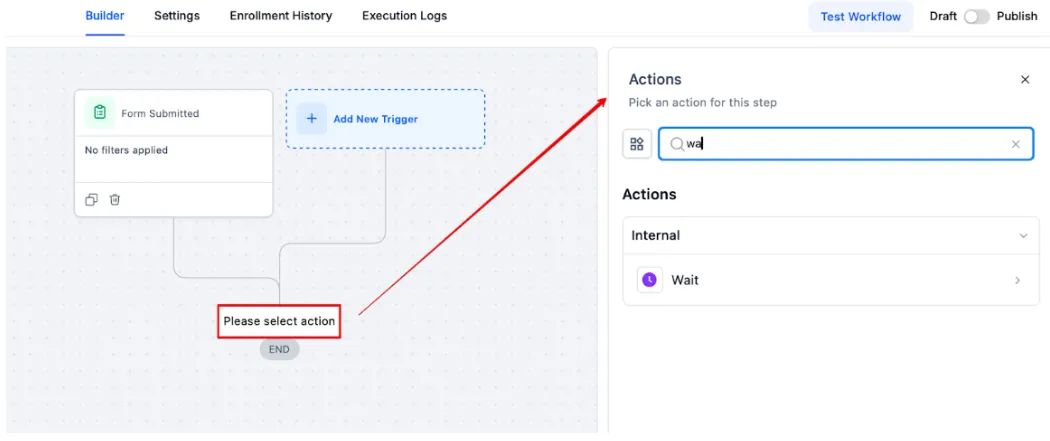
Workflows define what should happen next inside your business. Instead of relying on someone to remember the next step, the system carries it forward automatically. When a specific event occurs, the workflow begins.
That event might be:
A form submission
A booked appointment
A pipeline stage change
A task being completed
A specific date or time condition
Once triggered, the workflow moves the process forward.
The system can:
send confirmation messages
create or assign tasks
notify team members
update records
move deals through pipelines
schedule follow-ups
The process continues step by step without someone manually pushing it along.
Real-World Examples
Lead Follow-Up
A new lead comes through your website.
Instead of waiting for someone to see it:
the system sends an immediate confirmation
a follow-up task is assigned
the lead enters the pipeline
reminders trigger automatically if there is no response
The conversation starts immediately.
Customer Onboarding
When a new client signs up:
welcome instructions are sent
onboarding tasks are assigned
internal notifications alert the team
the client receives next-step communication
The process begins automatically instead of waiting for manual setup.
Proposal Follow-Up
When a proposal is sent:
a reminder sequence starts
follow-up tasks are scheduled
notifications appear if the proposal is viewed
No one needs to remember to check back later.
Internal Task Handoffs
When one team member finishes a task:
the next step is automatically created
the responsible person is assigned
the project continues moving
Work no longer stalls between steps.
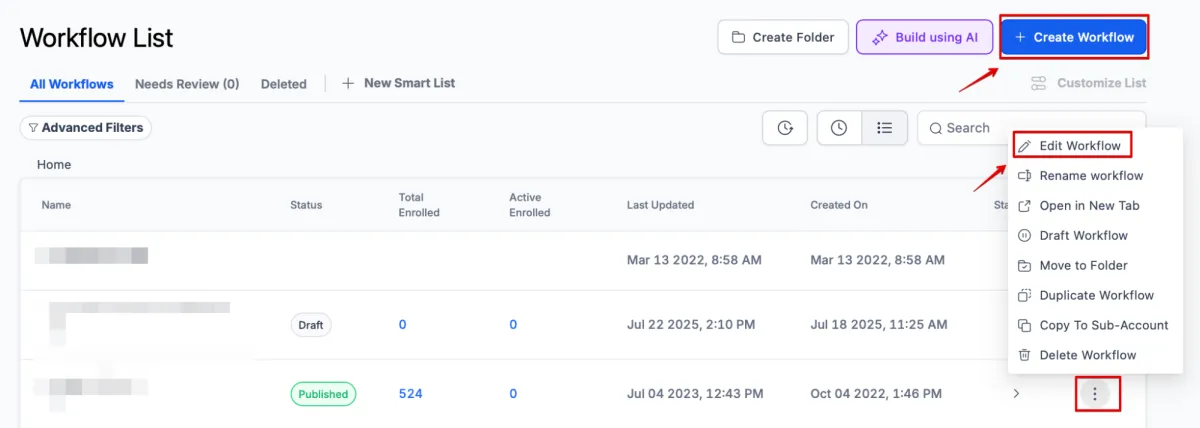
How Workflows Operate Inside Kyrios
Workflows run directly inside the Kyrios platform and connect to multiple parts of the system.
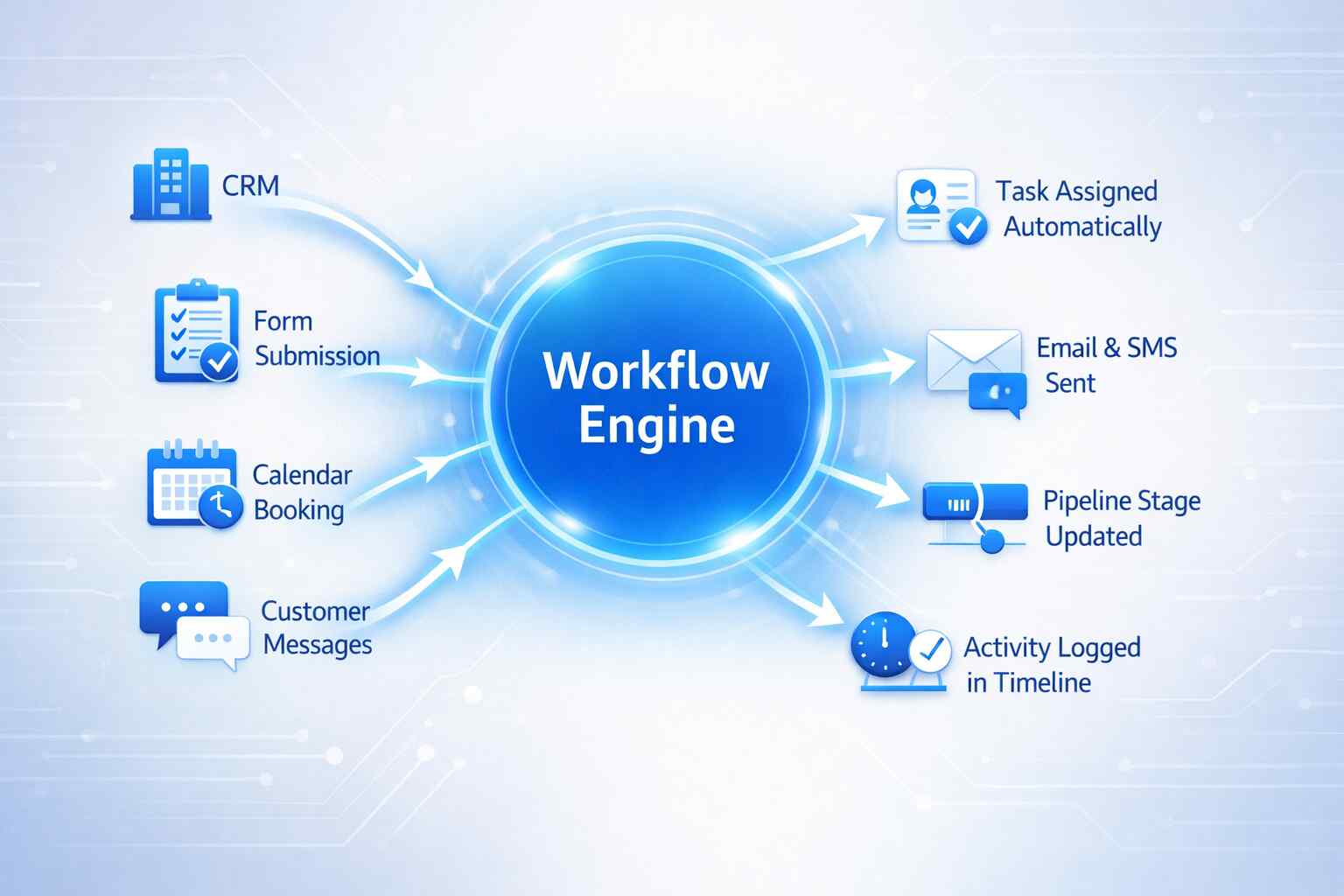
They interact with:
CRM records
pipelines and opportunities
tasks and assignments
email and SMS communication
scheduling and calendars
reporting and activity tracking
Every action triggered by a workflow is logged in the contact record and activity timeline.
This means the team sees:
the same status
the same activity history
the same next step
Nothing lives in private reminders or scattered notes. The system itself moves the process forward.
How Workflows Connect to the Rest of Kyrios
Workflows act as the movement layer across the platform. They connect the different parts of the business so progress continues automatically.
For example:
A CRM update can trigger a workflow.
A pipeline stage can create tasks.
A scheduled date can trigger reminders.
A completed task can generate the next step.
Because communication, CRM, tasks, and pipelines live inside the same platform, workflows can move work forward across all of them.
This is what allows Kyrios to function as a connected operations system instead of just a collection of tools.
What Changes Once Workflows Are in Place
When workflows define how work moves through the business, several things shift.
Follow-ups happen consistently.
Tasks move forward without reminders.
Team members know what comes next.
Response times become predictable.
Owners spend less time checking and chasing updates. Instead of asking: “Did someone follow up with that lead?”
You can see the process moving through the system automatically. The business begins operating with structure instead of constant supervision.
See How This Works in Kyrios
Workflows Inside the Kyrios System
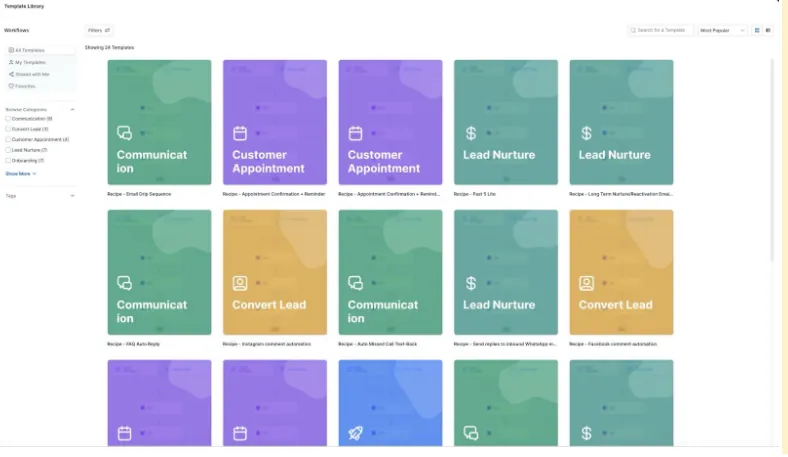
Kyrios was built to reduce the operational pressure that builds when businesses rely on memory and manual follow-up. Workflows are one of the primary ways that shift happens.
They define how work moves. Instead of hoping the next step happens, the system carries it forward automatically.
This is how growing businesses maintain consistency even as activity increases.
When Systems Move Work Forward, Growth Gets Easier
When tasks, communication, and follow-up depend on memory, growth adds pressure. When they depend on structured workflows, growth adds momentum.
(205) 736-8422
1236 Blue Ridge Blvd,
Hoover, AL 35226




Copyright Kyrios Systems 2026 - All Rights Reserved | Privacy Policy | Terms and Conditions
1236 Blue Ridge Blvd, Hoover, AL 35226
Download the Kyrios app now
(205) 736-8422
1236 Blue Ridge Blvd,
Hoover, AL 35226

Company


