


Tools vs. Platforms vs. Systems: What Your Business Really Needs
You can have plenty of tools and still feel like nothing is under control. The CRM has the lead, the spreadsheet has the task, the inbox has the customer message, the calendar has the appointment, and the project board has the status update. But somehow, you’re still the one checking, chasing, answering questions, and making sure the next step actually happens.
That is the gap most business owners feel but cannot always name. The problem is that your business may have tools without a system.
In this guide, we’ll break down the difference between tools, platforms, and systems so you can see where your business really stands, why more software does not always solve the problem, and what it looks like when your operations finally have structure behind them.

Why This Difference Matters for Business Owners
Business owners don't wake up thinking, "I need a better system." They think they need more leads, a better CRM, another automation, or a new project management tool. Those feel like the obvious problems because they are the ones they see every day.
But after adding another tool, the same frustrations usually remain. Follow-up still depends on someone noticing it. The team still asks where a project stands. Customer conversations are still spread across email, text messages, social media, and task apps. Instead of reducing complexity, another tool often becomes another place to check.
The result is a business where important information exists, but progress still depends on someone manually moving work from one place to another. You might recognize some of these situations:
A lead is captured in your CRM, but nobody follows up until someone checks the pipeline.
A customer emails a question, but the project team never sees it because the conversation stays in someone's inbox.
A task is completed, but the next person isn't notified, so the project sits idle.
A payment arrives, but someone still has to manually update records and notify the team.
A customer support issue is resolved, but nobody asks for a review because that next step was never triggered.
None of these problems happen because your team lacks effort. They happen because the work stops between steps.

What Is a Tool?
A tool is designed to help you complete a specific task. It solves a particular problem, performs a defined function, and makes one part of your work easier. Whether it's managing contacts, scheduling appointments, sending invoices, or tracking projects, every tool has a focused purpose.
Common examples of business tools include:
CRM software for managing leads and customers
Email marketing software for sending campaigns
Project management apps for tracking tasks
Calendars for scheduling meetings
Accounting software for invoicing and bookkeeping
Team messaging apps for internal communication
File storage platforms for documents
Online forms for collecting customer information
The challenge isn't that these tools are ineffective. In fact, many are excellent at the jobs they were designed to do. The problem begins when each tool operates independently.
What Is a Platform?
A platform is a collection of tools designed to work within the same environment. Rather than solving one specific problem, it provides a broader foundation where several business functions can live together.
For example, a customer relationship management (CRM) platform may include contact management, email marketing, sales pipelines, reporting, and automation. An e-commerce platform may combine product management, payment processing, inventory, and shipping. Marketing platforms often bundle landing pages, email campaigns, forms, analytics, and customer segmentation into one solution.
Compared to individual tools, platforms offer several advantages:
Fewer applications to manage.
A more consistent user experience.
Better data sharing between built-in features.
Simplified administration and user management.
Reduced need for multiple software subscriptions.
These benefits make platforms an attractive choice, especially for growing businesses that want to reduce software sprawl.

What Is a System?
A system is what connects people, processes, and technology so work continues moving without depending on someone to manually push every next step forward. While a tool performs a specific function and a platform brings multiple functions together, a system coordinates how those functions interact to achieve a business outcome.
A system ensures those activities are connected rather than isolated.
For example, instead of relying on employees to remember every next step, a connected system can:
Create a follow-up task when a new lead enters the CRM.
Notify the appropriate team member when a proposal is accepted.
Schedule onboarding activities after a customer signs.
Update customer records as work progresses.
Trigger invoices when milestones are completed.
Remind the team when a task becomes overdue.
Keep every conversation attached to the customer's record so anyone involved has the full context.
Notice the difference. The focus is no longer on what each tool does. The focus is on how the work moves from one stage to the next.This is why systems create consistency. They reduce the number of moments where someone has to stop, check another application, ask a coworker for an update, or remember what needs to happen next.
The Real Problem: Your Tools Store Information, but They Do Not Always Move Work Forward
In many businesses, that responsibility falls back on people instead of the business itself. Someone has to notice the new lead, assign the task, send the follow-up, update the customer, notify another department, or remember to check whether the next step happened. The information exists, but the momentum stops until someone manually pushes it forward.
This is where operational friction begins to build. At first, it feels manageable because the business is small. But as more customers, projects, employees, and communication channels are added, the number of manual handoffs grows just as quickly.
Eventually, the business starts showing familiar symptoms:
Leads wait too long for a response.
Projects stall because no one knows the next step.
Customer conversations become scattered across different channels.
Team members interrupt each other for updates.
Managers spend more time checking than leading.
Owners become the person everyone relies on to connect the dots.
None of these problems are caused by poor software. They happen because the software stores information without coordinating the work around it.
The 3 Stages of Operational Maturity
Information Is Collected
Your tools successfully capture data such as leads, tasks, customer messages, or payments. Each application performs its individual job, but work often stops there.People Manually Move Work Forward
The next step depends on someone checking notifications, assigning tasks, sending follow-ups, or reminding teammates. Operations continue, but only through constant manual effort.Processes Automatically Create the Next Action
Every completed step triggers the next one. New leads start follow-up sequences, completed tasks generate the next assignment, and customer activity updates records and alerts the right people. The business keeps work moving through built-in operational systems rather than relying on individuals to remember every handoff.
When your systems consistently create the next action without relying on constant manual intervention, your business becomes more reliable, more scalable, and far easier to manage.
Tools vs. Platforms vs. Systems: A Simple Comparison
Now that we've defined each concept individually, it's easier to see how they fit together. The mistake many businesses make is treating these terms as if they mean the same thing. They don't. Each one plays a different role in how your business operates.
The easiest way to think about them is as a hierarchy. Tools sit at the foundation because they perform individual tasks. Platforms bring multiple tools together into a shared environment. Systems sit above both because they connect those tools, people, and processes into a coordinated way of working.
The difference becomes clearer when you look at a simple customer journey.
Imagine someone fills out a contact form on your website.
A tool records the lead in a CRM.
A platform stores the lead alongside conversations, appointments, and sales opportunities.
A system captures the lead, assigns it to the right person, starts follow-up, creates any necessary tasks, updates the pipeline, and keeps everyone involved informed as the relationship progresses.
Each level builds on the one before it.
A tool performs an action. → A platform provides a shared workspace. → A system coordinates the entire process.
This is why businesses often reach a point where buying another tool no longer improves operations. They already have software that performs individual tasks well. What they're missing is the structure that connects those tasks into one continuous workflow.
Another way to think about it is this:
Tools help people do work.
Platforms help people manage work.
Systems help the work move itself through defined processes.
That distinction changes how you evaluate technology. Instead of asking whether a product has another feature, you begin asking whether it reduces manual coordination across the business. Does it eliminate unnecessary handoffs? Does it trigger the next step automatically? Does it give the team visibility without someone constantly checking on progress?
Those are systems questions, and they lead to much bigger operational improvements than feature comparisons alone.
Understanding this hierarchy also explains why a business operating system sits at the top. It doesn't replace every tool. Instead, it gives those tools a connected structure so they contribute to one coordinated way of running the business instead of operating as isolated pieces of software.
Why More Tools Usually Do Not Fix Operational Chaos
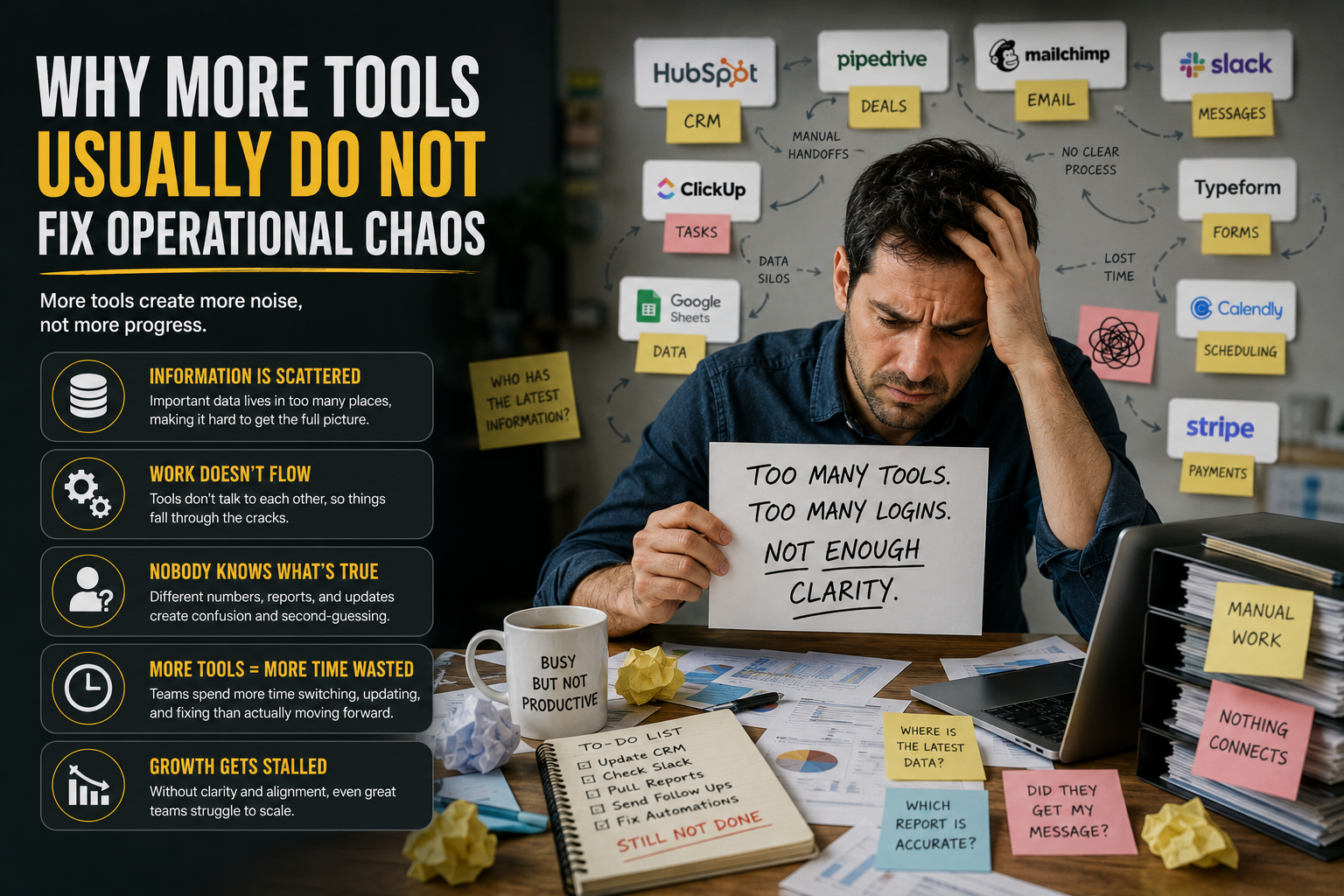
When business owners feel overwhelmed, the first instinct is often to look for another tool. If follow-up is inconsistent, they buy a CRM. If projects become difficult to track, they add project management software. If communication is scattered, they introduce another messaging app. Each purchase feels like a logical step toward becoming more organized.
Sometimes these tools improve a specific part of the business. More often, they simply move the chaos somewhere else.
The reason is simple: adding more tools increases the number of places where work can live. Instead of one spreadsheet, there is now a CRM. Instead of one inbox, there are emails, text messages, social media messages, live chat, and team communication apps. Every new application becomes another location where information must be checked, updated, and connected to the rest of the business.
This usually shows up in ways that feel familiar:
A customer calls after sending an email, but the employee answering the phone has no visibility into the conversation.
Sales closes a deal, but the delivery team doesn't know it's time to begin because nobody created the next task.
Accounting receives payment, but operations aren't notified to start the project.
A team member finishes their work, but the next person in the process doesn't realize it's their turn.
Managers spend their day asking for updates instead of reviewing progress because information is spread across multiple applications.
These problems don't happen because employees aren't working hard. They happen because the business relies on people to move information between disconnected parts of the operation.
What a Business Operating System Actually Does
A business operating system (BOS) is often misunderstood because people assume it's simply another piece of software. In reality, a business operating system is not defined by the number of features it includes. It's defined by the role it plays in your business.
Its job is to connect the work.
Instead of treating communication, sales, customer management, task tracking, scheduling, invoicing, and reporting as separate activities, a business operating system brings them into one connected framework where information, people, and processes work together. The goal isn't simply to store data in one place. It's to ensure that information becomes action without relying on someone to manually move every process forward.
For example, instead of relying on manual coordination, a business operating system can:
Capture new leads and immediately begin the appropriate follow-up process.
Create tasks automatically based on customer actions or workflow milestones.
Notify the right team members when their involvement is required.
Keep customer conversations connected to the correct records, regardless of the communication channel.
Update pipelines and project statuses as work progresses.
Trigger invoices, reminders, confirmations, or notifications based on predefined business rules.
Give managers and owners real-time visibility into what is moving, what is waiting, and what requires attention.
When you understand what a business operating system actually does, the conversation shifts away from software comparisons and feature lists. The more important question becomes whether your business has the structure to keep work moving, even as customers, employees, and operational complexity continue to grow.
How to Know Whether You Need Another Tool or a Real System
Not every business needs new software. Sometimes the tools you already have are capable of doing the job. The bigger question is whether they're working together in a way that keeps your business moving.
You probably need a real system if the capabilities already exist, but the business still feels difficult to manage.
Some common signs include:
Your team keeps asking, "What happens next?"
Leads are captured, but follow-up isn't consistent.
Customer information is spread across multiple applications.
Employees manually copy the same information from one system to another.
Projects stall between departments because handoffs aren't clear.
You spend more time checking progress than reviewing results.
Important work falls through the cracks when someone is unavailable.
Taking a day off feels risky because too much depends on you.
Many business owners discover that the problem isn't a lack of software. It's that every stage of the process relies on manual coordination. Someone has to remember, assign, notify, update, or follow up before the business can continue moving.
That's the point where investing in another application usually produces diminishing returns. The business doesn't become significantly more organized because the work is still disconnected.
Where Kyrios Fits
By now, the difference between tools, platforms, and systems should be clear. Tools help you complete individual tasks. Platforms bring multiple capabilities together. Systems connect the work so your business continues moving without every next step depending on manual coordination.
This is where Kyrios fits.
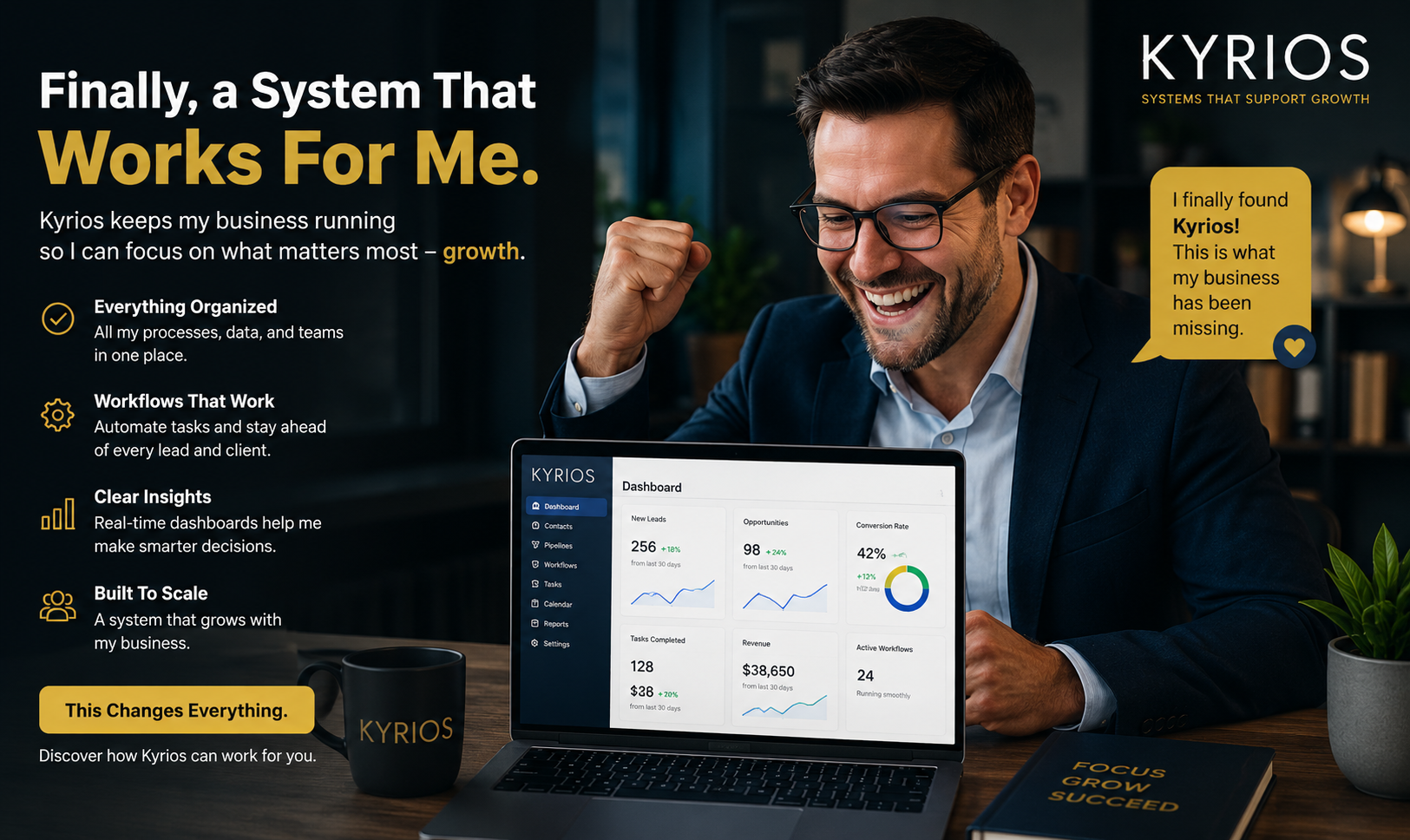
Kyrios is not designed to be another tool that solves one problem in isolation. It is also not positioned as a generic all-in-one platform that simply bundles features under one login. Kyrios is built as a business operating system that connects the everyday work of running a business, helping communication, customer information, workflows, tasks, scheduling, payments, and reporting work together as one coordinated system.
For example, a connected operating system can help:
Capture a new lead and immediately begin the appropriate follow-up process.
Create tasks for the right team members as the customer moves through each stage.
Keep conversations attached to the customer's record, regardless of where they occur.
Update pipelines and project statuses automatically as work progresses.
Notify the appropriate people when action is required.
Give owners and managers a clear view of what is moving, what is waiting, and where attention is needed.
The goal isn't to replace people. It's to remove the repetitive coordination that keeps pulling people away from higher-value work.
The Bottom Line
Most businesses do not need another place to store information. They need a reliable way to turn information into action.
Tools help you complete tasks. Platforms help you manage those tools in one place. A business operating system connects the work so follow-up, handoffs, updates, tasks, scheduling, and communication move through a clear process.
That is the difference between software that holds your business together and a system that helps your business run with more control.
If your team is still checking multiple apps, chasing updates, and manually moving every next step forward, the issue is not effort. It is structure.
Kyrios helps replace scattered tools and manual coordination with one connected operating system built to keep your business moving.
See how Kyrios helps your business move from scattered tools to one connected system.