
WORKFLOW & AUTOMATION SYSTEM
Stop Checking If Tasks Actually Got Completed
Growing your business shouldn't mean spending your day jumping between tabs, verifying if team members finished their work, and checking if follow-ups went out. Kyrios gives your company one connected system that triggers next steps automatically—so work keeps moving even when you're busy.
You’ve already had the conversation. The task was assigned. The deadline was clear.
And yet here you are, opening the CRM or project board again just to make sure things are getting done.
You tell yourself, "It’ll take two seconds." It never takes two seconds:
You check if the follow-up text went out.
You check if the client replied.
You check if the task was marked done.
You’re not trying to micromanage your team. You’re protecting your business. But because your tools don't talk to each other, daily execution keeps landing right back on your desk.
What Automation Friction Looks Like Day-To-Day

This isn’t theoretical—this is what a typical Tuesday looks like across disconnected apps:
A lead fills out a form, and you wonder, "Did they get a confirmation?" So you open a tab to check.
A sales rep says they’ll follow up, and two days later, you wonder, "Did that actually happen?" So you dig through text threads.
A project task gets marked complete, and you ask yourself, "Did the next step trigger for the team?" So you ping someone to confirm.
A customer replies to an email, and you wonder if the sales pipeline stage updated, or if the thread is just floating in an inbox.
You didn’t plan to spend your afternoon verifying other people's work. But experience has taught you that if you don’t look personally, things get caught up. You end up acting as the safety net.
That's a Systems Breakage: your work is trapped inside static tools that hold data but can't trigger the next step without somebody pushing it.
Why It Keeps Coming Back to You
When your tools don't move work automatically, everything flows uphill to leadership:
Questions drift upward.
Approvals drift upward.
Situations drift upward.
Your team finishes a step, and then they wait. Not because they don't want to work, but because the next step isn't assigned until someone manually deals with it. So they ask you, or worse, they just wait.
And when something gets missed, it doesn’t land on a workflow—it lands right back on your plate. You become the checkpoint, the reminder system, and the escalation path.
The process only continues when a person manually pushes it forward. And right now, that person is you.
What Should Happen Instead?
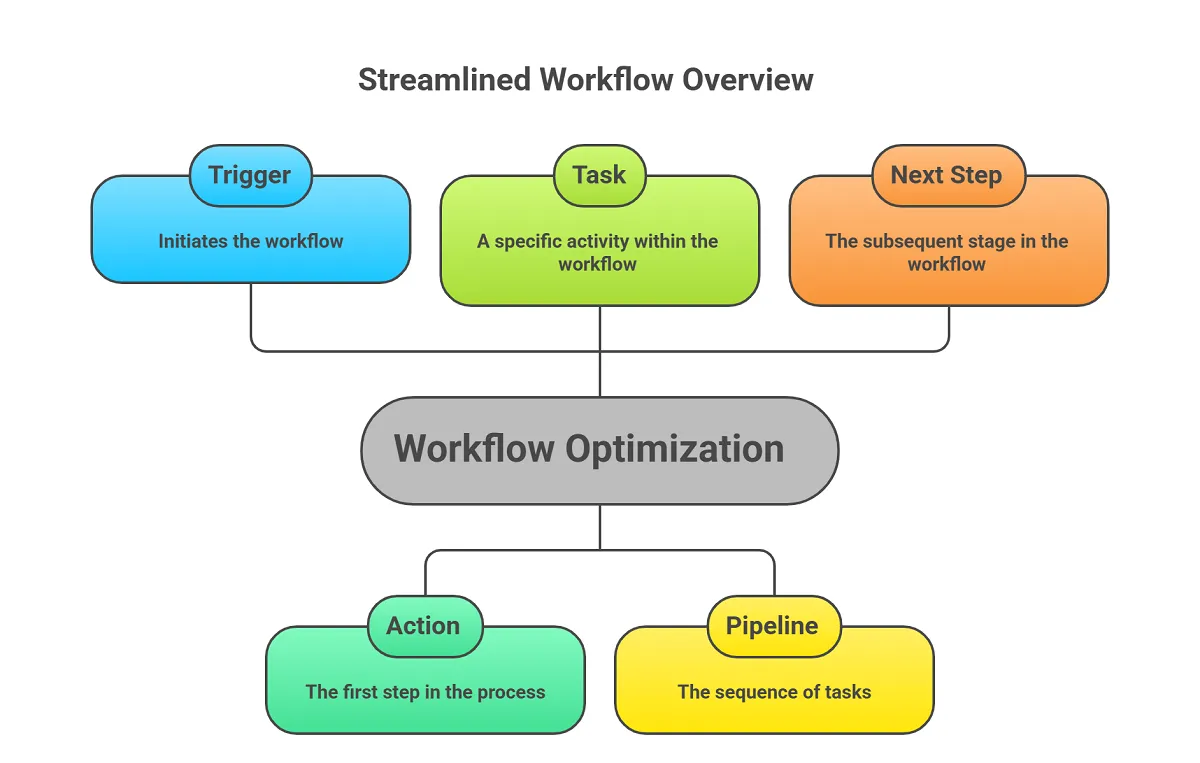
Work should move on its own through clear, connected steps:
When a form comes in, the next steps fire automatically.
When a task is completed, the next team member gets notified with their assignment right away.
When a prospect replies, the customer record and pipeline update without manual data entry.
You shouldn’t need to double-check every step in the process. You should be able to open your dashboard and see progress moving forward smoothly:
Fewer interruptions during your workday.
Fewer "got a minute?" questions from the team.
Fewer moments where you think, "Wait, where did that task go?"
When execution is automated, your company becomes more steady and more predictable.
How the Workflow & Automation System Works
Inside Kyrios, when an event happens, work doesn't sit in some random queue waiting for manual intervention.
When a Web Form Is Submitted
A contact record generates or updates instantly.
The right tags and source details attach automatically.
The lead moves into the correct pipeline stage.
A confirmation email or SMS sends right away.
A follow-up task assigns to the right team member.
When Someone Replies
The message logs to the CRM timeline and Unified Inbox.
The project, sales, or service pipeline updates based on rules you define.
The assigned team member receives an immediate notification.
When a Task Is Marked Complete
The deal or project advances to the next stage.
The next step creates and assigns automatically.
Internal team notifications trigger instantly.
Metrics and reporting update across your company.

The point is simple.
The business moves because the connected system moves it. You’re no longer chasing steps—you’re overseeing flow.
Kyrios Tools That Power This System
These aren’t random tools. They work together to prevent work from circling back to you.
Workflow Automations
This is where the business stops relying on memory and starts running on clear processes. When something happens, like a new lead, a completed task, or a deal moving forward, the system automatically triggers the next step so work keeps moving without someone pushing it.
API & Webhooks
Sometimes your business needs to connect with tools outside the platform. API and webhooks allow Kyrios to send and receive information instantly so different systems stay connected and actions can trigger across your entire tech stack.
AI Agents
AI agents can handle routine actions inside your workflows like responding to simple inquiries, organizing information, or helping move processes forward. Instead of your team handling every small task, the system can assist in the background and keep things moving.
Voice AI Agents
Voice AI agents allow phone conversations to be handled automatically when appropriate. They can answer calls, respond to common questions, and capture information so your team doesn’t miss opportunities even when they’re not available.
Other Kyrios Tools That Support The Workflow & Automation System
Click any capability below to see how it connects into your workflow system:
How This Connects to the Rest of Kyrios
Inside Kyrios, automations do not happen in a vacuum:
Workflows Fire: Tasks update for the right team members instantly.
Tasks Complete: Pipelines advance automatically.
Deals Close: Revenue dashboards and billing triggers update in real time.
Customers Reply: The CRM timeline updates so everyone sees the full conversation history.
Nothing sits in isolation. When one thing moves, the rest of the business sees it.
(205) 736-8422
1236 Blue Ridge Blvd,
Hoover, AL 35226




Copyright Kyrios Systems 2026 - All Rights Reserved | Privacy Policy | Terms and Conditions

1236 Blue Ridge Blvd, Hoover, AL 35226
Download the Kyrios app now
(205) 736-8422
1236 Blue Ridge Blvd,
Hoover, AL 35226

Company


